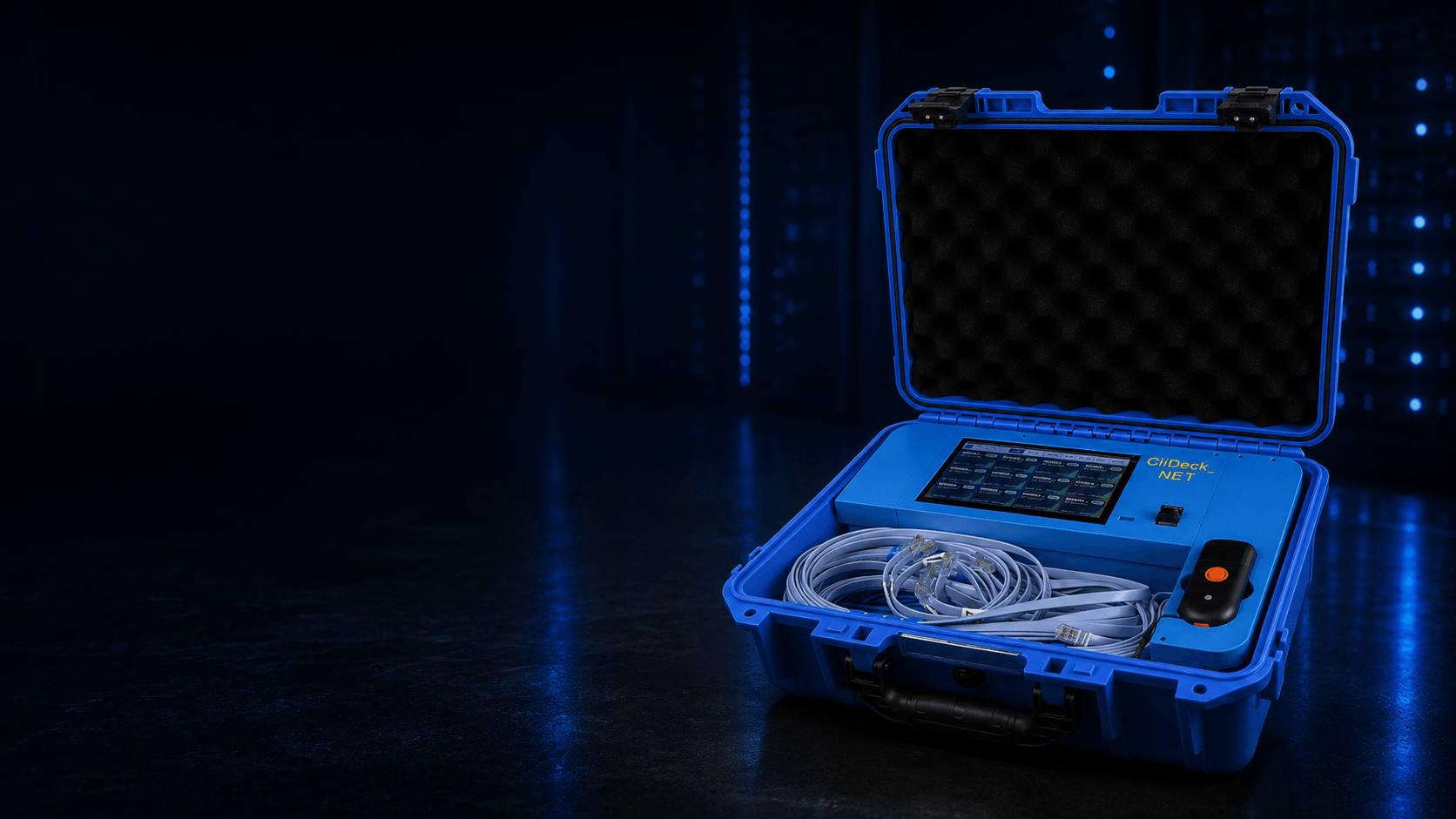
CliDeck Net Controller open rugged case with integrated screen, console cables, scanner, and portable workflow setup

CliDeck Net Controller

Process, sanitize, configure, recover, and document up to 12 network devices in parallel.

A portable network-device automation platform for ITAD, refurbishment, recovery, provisioning, and documented sanitization workflows.

12 devices in parallel · 20×+ faster in practical batch workflows

$2,700per box

Need multiple units or a custom deployment? Contact us.

One technician. Two controllers. 24 devices.

See how CliDeck Net Controller turns one-device-at-a-time manual work into parallel processing. Connect and scan a batch, launch the workflow, then prepare the next batch while the first controller keeps working.

1 vs 24 Devices: Manual Work vs. CliDeck Automation

This animated example compares 1 manually processed device with 24 devices processed using two controllers in 46 minutes, including preparation and launch. Each Net Controller supports up to 12 devices in parallel. Actual results depend on the devices, procedures, and setup.

Watch on YouTube ↗

Broad Multi-Vendor Network Support

CliDeck includes ready-to-use workflows for a broad range of Cisco, Dell, Arista, HPE/Aruba, Juniper, NVIDIA/Mellanox, Brocade, F5, Palo Alto, Quanta, UfiSpace, Edgecore and other network platforms.

Workflow development

Don’t see your model?

If you have a meaningful batch of a network-device model that is not yet supported, we can typically develop and validate a dedicated workflow for that model within 2 business days, where technically feasible. The workflow can also be adapted to your required processing, sanitization, verification, recovery, or reporting procedure.

CISCO
DELL
ARISTANETWORKS
hpe
arubaNETWORKING
JUNIPERNETWORKS
NVIDIA
brocade
F5
PALO ALTO
NETWORKS
QCTQUANTA CLOUD TECHNOLOGY
UfiSpace
eedgecore
+ many moreSEE FULL LIST BELOW
View supported platforms and families

Cisco

Nexus N3K, N5K, N6K, N7K, N9K; Catalyst 1000, 2000, 3000, 4000, 6000, 9000; Catalyst 8000 Edge; ISR 900, 1000, 4000 and ISR G2; ASR 900, 1000; CGR 2000; MDS 9000; ASA 5500/5500-X; Secure Firewall/Firepower 1000, 2000, 3000, 4000, 9000; UCS Fabric Interconnect 6200, 6300, 6400; Industrial Ethernet IE 2000, 3000, 4000; ME 3600; VG 300; Cisco Business 300/350; Aironet and Catalyst Wireless.

Dell / Dell EMC

PowerSwitch N1000, N2000, N3000, N4000; PowerSwitch S3000, S4000, S5000, S6000; PowerSwitch Z9000; ON-series families; Connectrix B-Series DS6500, DS6600, DS7700B and MP7800.

Arista

DCS 7010, 7020, 7040, 7050, 7060, 7120, 7150, 7160, 7200, 7250, 7260, 7280, 7300, 7500 and 7800 Series.

HPE / Aruba

Aruba 2900, 3800, CX 6200; Aruba Mobility Controller 7200; HPE FlexNetwork 5100, 5130, 5500, 5900, 7500; HPE MSR; HPE TippingPoint S7000.

Juniper

EX Series; QFX 5000 Series; SRX 300 Series; MX Series.

NVIDIA / Mellanox

SX Series; Spectrum SN/MSN 2000, 3000, 4000 and 5000 Series.

Brocade

ICX 6000 Series; Fibre Channel 6500, G600 and 7800 Series.

Ruckus

ICX 6000/7000 Series; ZoneDirector 3000; SmartZone 100.

F5

BIG-IP 4000/i4000, 11000/i11000 and compatible BIG-IP iSeries.

Palo Alto Networks

PA-Series.

Gigamon

GigaVUE G, HC and TA Series.

Infoblox

Trinzic and NIOS hardware platforms.

Extreme Networks / Enterasys

B-Series B3/B5.

FS

S5800, S5850, N8500 and N8560 Series.

NETGEAR

M4300 Series.

Opengear

4200 Series; ACM, CM, IM and OM Console Manager Series.

ADTRAN

Total Access 900 Series.

AudioCodes

MediaPack 100 Series.

Net Optics

iTAP Series.

Quanta / QCT

QuantaMesh LB, LY, T and TA Series, including T4000.

UfiSpace

S6300, S9100, S9300, S9500, S9600 and S9700 Series.

Accton / Edgecore

AS Series and other ONIE-based open-networking platforms.

Celestica

Bigstone, Redstone, Seastone, Smallstone and other ONIE platforms.

Delta Networks

AG, AGC, DDS, WB and TN Series.

Lenovo

ThinkSystem and NE Series with ONIE.

Netberg

Aurora Series.

Penguin Computing

3200, 3200XL and 4800 Series.

Other ONIE / bare-metal manufacturers

Agema, CIG, DNI, DriveNets, Interface Masters, NEC, Pegatron, Senao, Silicom, STORDIS, Supermicro, Wiwynn and WNC.

Device and firmware support can vary by model, hardware revision, firmware state, console interface, management access, and the required workflow. If you have a specific equipment list, send us the models and we will confirm current workflow coverage.

NIST SP 800-88 Rev. 2 & R2v3

Sanitization workflows designed to align with NIST SP 800-88 Rev. 2

CliDeck does not claim to be “NIST-certified.” NIST does not certify CliDeck as a software product. Instead, CliDeck sanitization workflows are designed around the current NIST SP 800-88 Rev. 2 guidance and applicable manufacturer-defined sanitization procedures.

“manufacturer resets and procedures that do not include rewriting may be the only clear sanitization technique options”

NIST SP 800-88 Rev. 2, Section 3.1.1, pp. 9–10

This is especially relevant to switches, routers, firewalls and other specialized network appliances where the device does not expose a conventional overwrite method for all non-volatile storage. NIST explains that a manufacturer reset can still meet the definition of Clear when the applicable conditions are satisfied and the interface available to the user does not facilitate retrieval of the original data.

CliDeck can automate manufacturer-prescribed sanitization/reset procedures, control the workflow, record the result for the individual asset, detect failures or exceptions, and perform workflow-specific post-process validation where supported.

NIST SP 800-88 Rev. 2 aligned workflows
Built to Fit R2v3 Data Sanitization Workflows

R2v3 certification applies to the R2 Facility and its audited processes; CliDeck should not be presented as holding a separate “R2 software certificate.” For an R2v3 facility performing logical sanitization under Appendix B, CliDeck can be incorporated into the facility’s documented Data Sanitization Plan and quality-control process.

“Software is intended to mean applications that automate, control, and record results of data sanitization for each unique identifier.”

SERI — R2v3 Formal Interpretation #1.0, Data Sanitization Software
Approved workflowCliDeck sanitizationDevice-level recordPass / Fail / ExceptionIndependent R2 verification
See how CliDeck can fit into an R2v3 Appendix B process

Using CliDeck in an R2v3 Appendix B Process

SERI’s R2v3 Formal Interpretation #1.0 provides an important framework for devices where conventional automated sanitization software may not exist.

SERI defines relevant software as applications that automate, control, and record the results of data sanitization for each unique identifier.

The Formal Interpretation also recognizes that on some devices a manufacturer-provided reset may be the only available logical sanitization option. Where no software exists that fully automates, controls, and records sanitization for that particular device, SERI allows a software platform to direct, control, and record the manufacturer-prescribed workflow.

SERI explicitly includes switches among examples of data-containing devices to which this interpretation may apply.

Purchased off-the-shelf sanitization software is not necessarily required for this scenario. SERI explains that the workflow can be integrated into another software platform or a custom software solution, provided the applicable Appendix B requirements are demonstrated.

A practical implementation can follow this structure:

1

Define and approve the sanitization workflow

The facility evaluates the applicable manufacturer instructions and confirms that the procedure makes the relevant data inaccessible rather than merely changing configuration settings.

The approved CliDeck workflow is incorporated into the facility’s Data Sanitization Plan and operating procedure.

2

Execute and record the process

CliDeck directs and controls the approved workflow and associates the processing event with the individual asset.

Depending on the workflow and available device information, records can include:

  • manufacturer;
  • model;
  • serial number;
  • asset ID or barcode;
  • workflow/script used;
  • workflow version;
  • operator;
  • date and time;
  • sanitization method;
  • processing status;
  • execution logs;
  • verification information;
  • Pass / Fail / Exception result.
3

Fail safely

The workflow should not mark a device as successfully sanitized if the process is interrupted, required commands fail, or the final condition cannot be validated.

Such devices should be handled as Fail / Exception and routed for additional processing.

If logical sanitization is unsuccessful or cannot be verified, the applicable R2 process requires the data-bearing item or component to be handled using an approved alternative method, including physical destruction where required.

4

Maintain the workflow

Manufacturer instructions and supported procedures can change.

The facility should maintain a process for reviewing manufacturer updates, and CliDeck workflows should be updated when required.

Where appropriate, the workflow/instruction version used should remain traceable in the sanitization record.

5

Perform independent R2 sampling

R2v3 Appendix B requires a minimum of 5% of logically sanitized data storage media to be routinely sampled by a competent and independent party to demonstrate that data is not recoverable using commercial software.

Where continued sampling demonstrates no issues, the sample may subsequently be reduced, but not below 1%, with continued routine sampling.

The independent verification is part of the R2 Facility’s quality-control process — not a replacement for the CliDeck workflow itself.

Practical summary

For an R2v3 Appendix B facility, the implementation can be represented as:

Approved manufacturer / CliDeck workflow → controlled execution → unique asset record → automated Pass / Fail / Exception handling → internal quality control → independent R2 sampling and verification

If a new device type or sanitization method is being introduced into an R2 Facility’s process, the facility should review the updated process with its own R2 certification body/auditor as appropriate.

Built for Production ITAD Workflows

Replace sequential, repetitive CLI work with a controlled process that operators can run and engineers can govern. In practical batch workflows, CliDeck can be 20×+ faster than one-device-at-a-time manual CLI work.

  • Process up to 12 network devices in parallel.
  • Replace repetitive manual CLI work with approved workflows.
  • Reduce the amount of senior network-engineer time required on the processing floor.
  • Tie processing results to the individual asset.
  • Capture logs and evidence for completed work.
  • Combine console access and management-port workflows.
  • Work offline, LAN-only, or with optional connected management depending on deployment requirements.

How It Works

  1. 01

    Connect

    Connect the console port and, where required, the management port.

  2. 02

    Scan

    Scan the serial number, barcode, or asset tag.

  3. 03

    Select

    Select the model and approved workflow, or load the required workflow through customer API integration where configured.

  4. 04

    Run

    Execute the workflow on one device or multiple connected devices in parallel.

  5. 05

    Report

    Record status, logs, errors, verification results, and evidence associated with the asset.

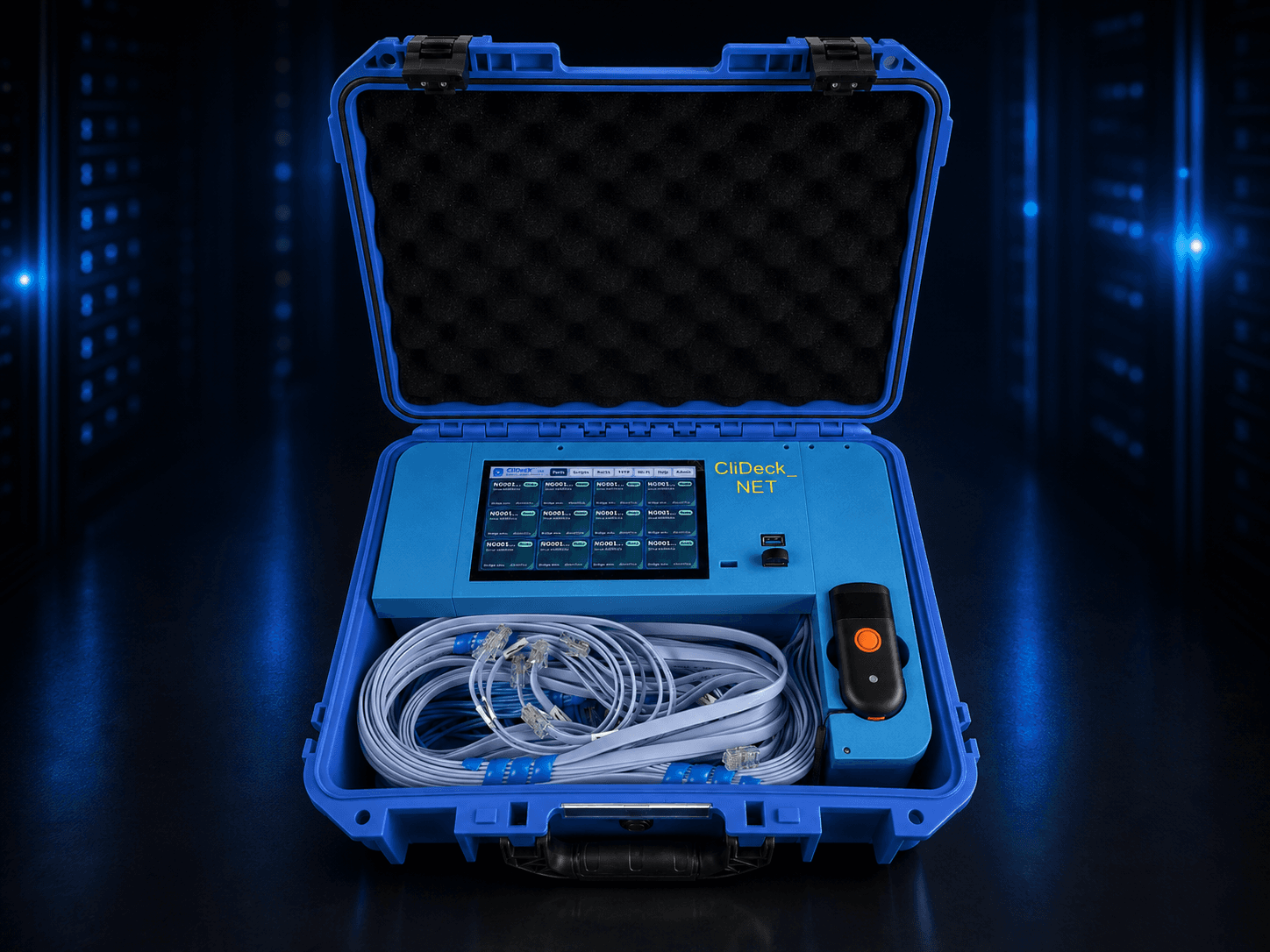
One rugged workstation from intake to evidence

The integrated screen, cable set, scanner, console ports, and management workflow stay together, so the processing station remains repeatable instead of being rebuilt for every batch.

Angled CliDeck Net Controller detail showing screen, cables, and scanner inside the case

Evidence for Every Processed Asset

CliDeck can connect the workflow, operator, device identity, execution logs, and verification result in one device-level record. The record documents the process; it does not by itself create a third-party certification.

  • Barcode / asset ID
  • Manufacturer and model
  • Serial number
  • Port
  • Operator
  • Workflow/script
  • Workflow version where available
  • Start/end timestamps
  • Execution logs
  • Pass / Fail / Exception
  • Before/after verification where supported
  • Evidence/report package
  • API-accessible results where configured

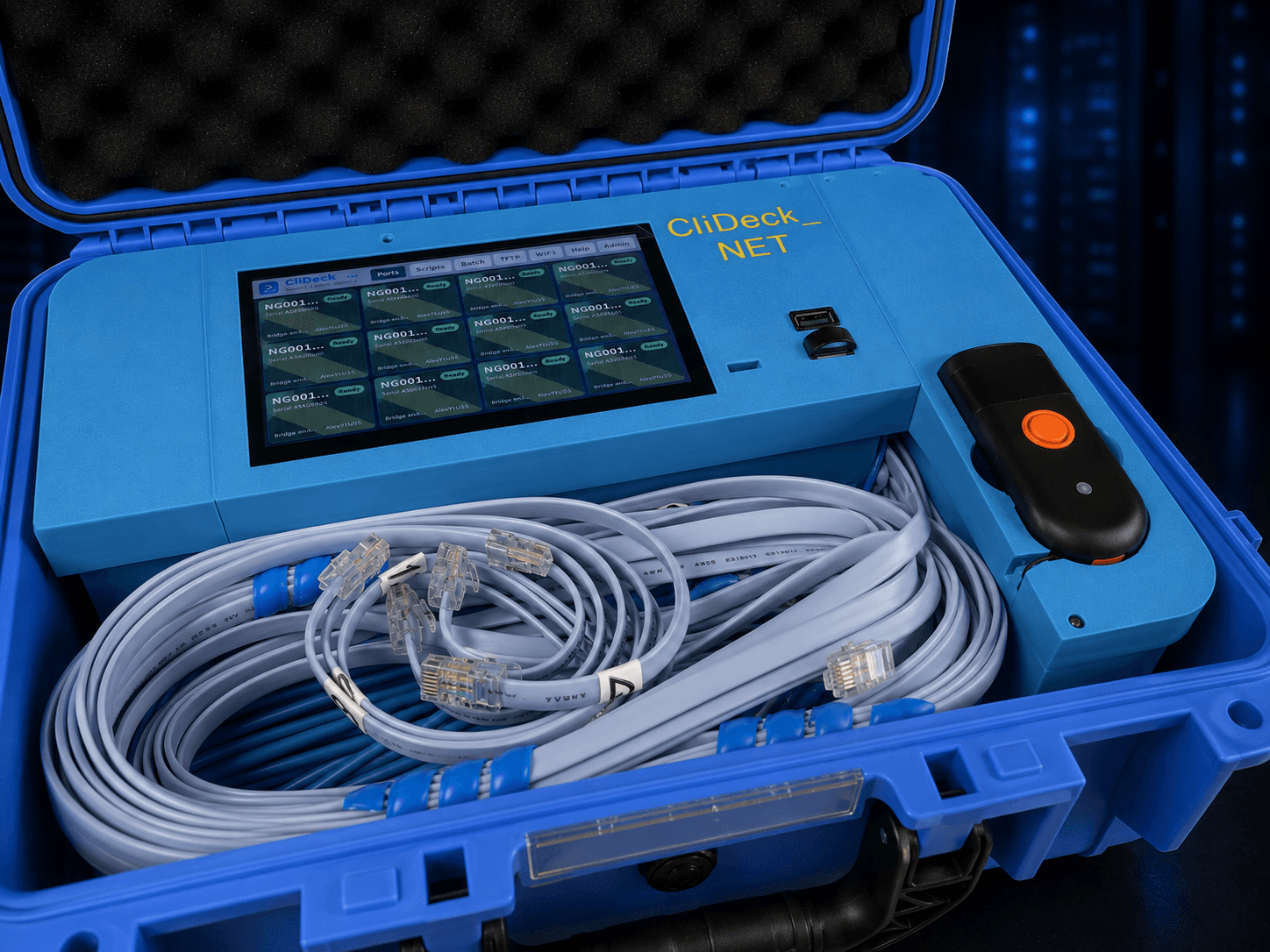
Console, Management, Provisioning & Control

Use the operating model that matches the facility’s security policy. Cloud connectivity is optional, not mandatory.

Close-up of the CliDeck Net Controller screen, cable storage, scanner, and access ports

Console access

Serial console, SSH direct-to-port, and browser live terminal for interactive or supervised work.

Management-port workflow

Console plus management access for DHCP, file transfer, recovery, provisioning, and device web UI.

Local services

Built-in DHCP, FTP/TFTP, controlled local files, boot/config files, and recovery resources.

CliDeck does not distribute vendor operating-system images. Customer-provided images may be used where the customer has the appropriate rights and licenses.

API integration and asset-system workflows

After a barcode or asset-tag scan, CliDeck can request asset data from a customer system, select or load the required approved workflow, and return processing status.

  • Request manufacturer, model, serial number, and asset information.
  • Auto-select or load the required workflow where configured.
  • Return status, processing time, logs, evidence links, and customer-specific flags.
  • Integrate with ITAD, ERP, asset-management, or internal workflow systems by project.
Offline, LAN-only, cloud-connected, and optional LTE
Offline
Run scripts, files, logs, DHCP/FTP/TFTP, and processing locally without internet or cloud connectivity.
LAN-only
Use the secured local interface inside the customer network perimeter.
Cloud-connected
Enable centralized management, script synchronization, remote monitoring, and support when policy allows.
Optional LTE
Discuss LTE-assisted remote access or emergency workflows for USA deployments where required.
Security, support, fleet, and script management
  • Secure Local Admin Mode for protected local operation and administration.
  • Remote support enabled only when connectivity is allowed and the customer requests assistance.
  • Company-scoped access, RBAC, multiple-box visibility, active task monitoring, and audit logs.
  • Script synchronization, software update coordination, and user/access management.
  • Ready-made, custom, and customer-built workflows for supported deployments.

Traditional Console Server vs CliDeck Net Controller

NeedTraditional console serverCliDeck Net Controller
Remote serial accessPrimary purposeIncluded
Batch device processingLimitedUp to 12 devices in parallel
Approved CLI workflowsUsually manualRepeatable and automated
Console + management portUsually separateOne controlled workflow
DHCP / FTP / TFTPUsually externalBuilt in
Barcode / asset bindingNot typicalPer-device record
Evidence and API resultsBasic session logsPass / Fail / Exception with evidence

Use a traditional console server when you only need remote serial access. Use CliDeck Net Controller when console access needs to become a repeatable batch-processing, provisioning, sanitization, recovery, and evidence workflow.

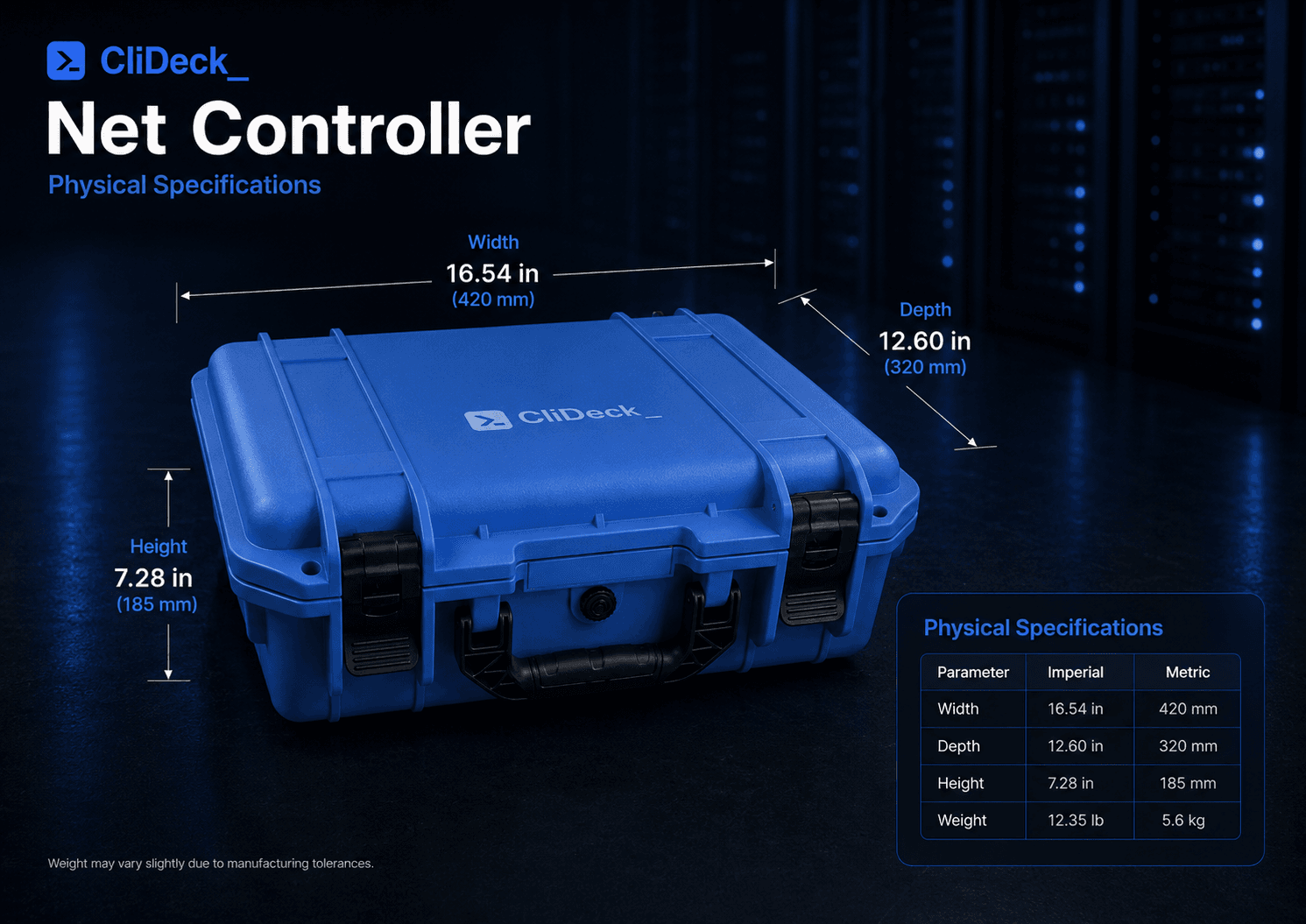
Physical Specifications

External case dimensions and product weight for the CliDeck Net Controller portable workstation.

ParameterImperialMetric
Width16.54 in420 mm
Depth12.60 in320 mm
Height7.28 in185 mm
Weight12.35 lb5.6 kg
CliDeck Net Controller physical specifications with width, depth, height, and weight callouts

FAQ

What is CliDeck Net Controller?

CliDeck Net Controller is a portable network-device automation platform for ITAD, refurbishment, recovery, provisioning, and documented sanitization workflows. It processes up to 12 network devices in parallel.

How many devices can it process at once?

CliDeck Net Controller can process up to 12 connected network devices in parallel.

Which network brands and models are supported?

CliDeck includes ready-to-use workflows for a broad range of Cisco, Dell, Arista, HPE/Aruba, Juniper, NVIDIA/Mellanox, Brocade, F5, Palo Alto, Quanta, UfiSpace, Edgecore and other network platforms. Open the supported-platform disclosure above for the complete current list.

What if my device model is not currently supported?

If you have a meaningful batch of a network-device model that is not yet supported, we can typically develop and validate a dedicated workflow for that model within 2 business days, where technically feasible. The workflow can also be adapted to your required processing, sanitization, verification, recovery, or reporting procedure.

Can CliDeck work in an R2v3-certified facility?

R2v3 certification applies to the R2 Facility and its audited processes; CliDeck should not be presented as holding a separate “R2 software certificate.” For an R2v3 facility performing logical sanitization under Appendix B, CliDeck can be incorporated into the facility’s documented Data Sanitization Plan and quality-control process.

Is CliDeck NIST certified?

CliDeck does not claim to be “NIST-certified.” NIST does not certify CliDeck as a software product. Instead, CliDeck sanitization workflows are designed around the current NIST SP 800-88 Rev. 2 guidance and applicable manufacturer-defined sanitization procedures.

How does CliDeck use NIST SP 800-88 Rev. 2 guidance?

CliDeck can automate manufacturer-prescribed sanitization/reset procedures, control the workflow, record the result for the individual asset, detect failures or exceptions, and perform workflow-specific post-process validation where supported.

Does CliDeck create device-level processing records?

Yes. Records can include the asset identifier, manufacturer, model, serial number, workflow and version, operator, timestamps, execution logs, verification information, and Pass / Fail / Exception result where configured.

Can it work offline?

Yes. Customers can choose offline, LAN-only, cloud-connected, or optional LTE-assisted operation depending on deployment requirements and security policy.

Does it include DHCP / FTP / TFTP?

Yes. CliDeck Net Controller can provide local DHCP, FTP/TFTP, controlled file access, and recovery or provisioning files for supported workflows.

Can it integrate with our asset-management or ITAD system?

Yes. API integration can retrieve asset data, load the required workflow, and return status, logs, evidence links, and customer-specific results where configured.

Does CliDeck provide vendor OS images?

No. CliDeck does not distribute vendor operating-system images. Customer-provided images may be used where the customer has the appropriate rights and licenses.

How much does CliDeck Net Controller cost?

CliDeck Net Controller is priced at $2,700 per box. Contact us to discuss demos, multiple-unit deployments, or project-specific integration requirements.

See CliDeck on Your Network Equipment

Send us a list of the network models you process, or schedule a demo to see how CliDeck can fit into your existing ITAD workflow.

$2,700 per box
CliDeck Net Controller — 12-Device Network Automation for ITAD