
Fleet Management
Manage CliDeck hardware as a fleet, not one box at a time.
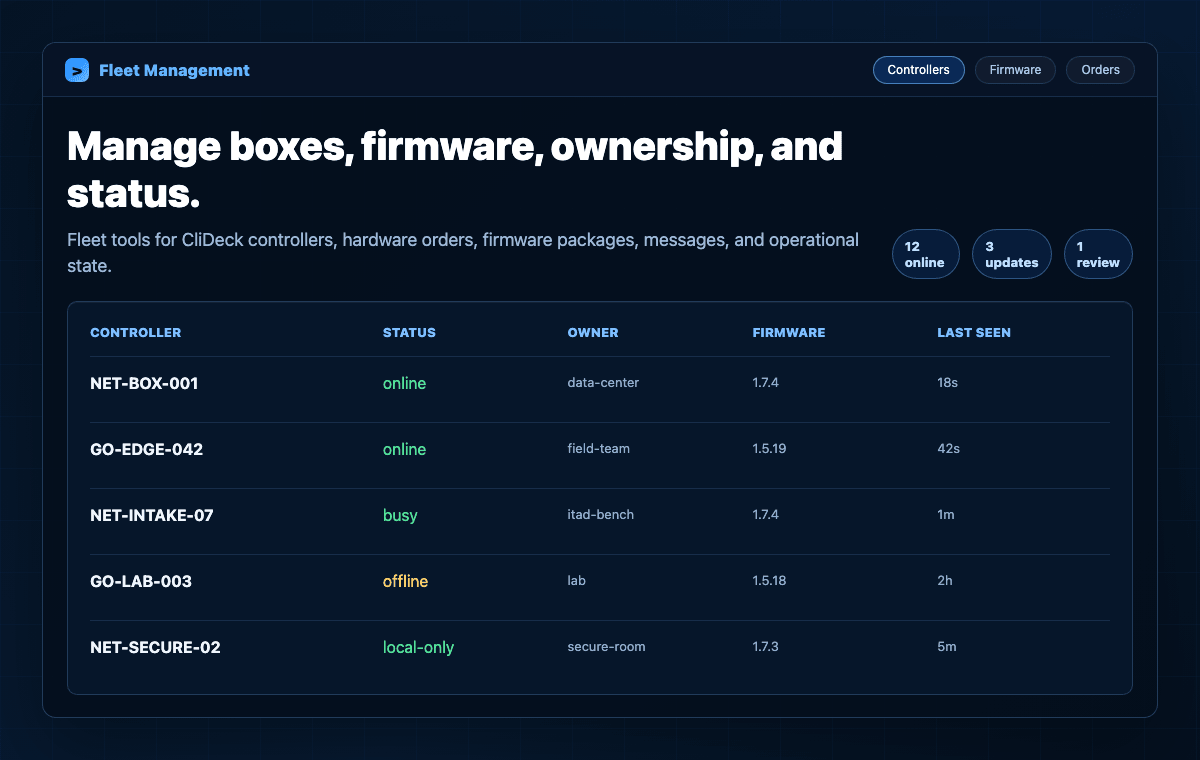
CliDeck fleet tools help teams track controllers, ownership, connection state, firmware, hardware orders, support messages, and operational activity.
What it does
Core capabilities that connect this software layer to CliDeck hardware, Workspace, and real infrastructure workflows.
Controller inventory
Track bound CliDeck controllers by device ID, owner, claim status, and current connection state.
Live operational state
See last seen time, IP details, Wi-Fi state, online/offline status, and controller messages where available.
Firmware release management
Admin tools support firmware packages, versions, device type, hardware revision, latest release state, and storage metadata.
Hardware order visibility
Keep hardware sales, payment status, fulfillment status, shipment, delivery, and support context connected.
Role-aware access
Controller and admin views are gated by sign-in and role, so users see the hardware they are allowed to manage.
Support and audit context
Use controller messages, workflow state, logs, and admin actions to support troubleshooting and operations.
Fleet operating loop
Fleet management is about keeping hardware ready for the people using it in the field, lab, data center, or intake station.
- 01
Bind
Register a controller to the right account or operational owner.
- 02
Monitor
Track online status, last seen data, messages, and device-specific state.
- 03
Update
Manage firmware releases and keep devices aligned with approved versions.
- 04
Support
Use controller and user context to help troubleshoot hardware and connection issues.
- 05
Report
Review orders, results, and operational records when teams need a longer view.
Who needs it
Fleet management is built for teams that own multiple CliDeck devices or need controlled hardware operations.
Data centers and remote hands
Know which portable console devices are available, online, assigned, or in use at a facility.
ITAD and bench operations
Keep intake-station hardware, scripts, results, and support context organized across shifts.
Enterprise and secure facilities
Use role-gated management and deployment-specific policy controls for hardware operations.
Fleet capabilities depend on account role, deployment model, connected hardware, firmware version, and customer policy.
Bring this workflow into CliDeck.
CliDeck fleet tools help teams track controllers, ownership, connection state, firmware, hardware orders, support messages, and operational activity.