
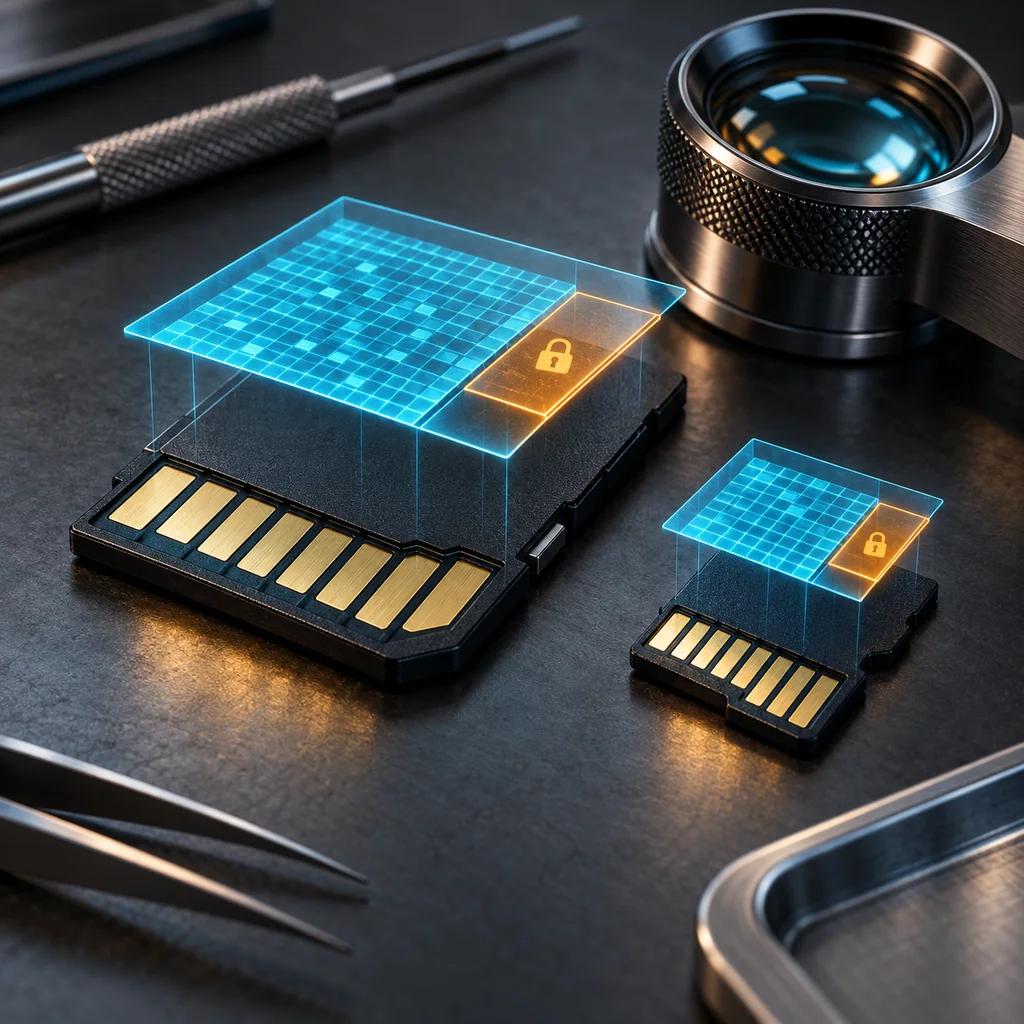
SD Card Sanitization: Protected Areas and Formatting Limits
Short answer
A completed SD Card Formatter overwrite is evidence about the card's user data area. It is not, by itself, evidence that every physical flash location or every SD-specific storage area was sanitized. Quick Format initializes filesystem structures and removes directory entries; it does not overwrite existing file data. An empty directory is therefore an unsuitable acceptance test for confidential-media disposal.
Keep three boundaries separate: the host-visible user area, the SD Protected Area where applicable, and physical flash managed internally by the controller. A decision to reuse or release a card needs an approved method whose documented scope matches the target data, followed by completion checks and a separate acceptance decision.
Who this is for
This guide is for refurbishment, camera-fleet, field-service and ITAD teams handling removable SD-family cards, including microSD cards used through adapters. It covers a supported desktop formatter workflow and its evidence limits. It does not specify low-level commands for SD Express, embedded storage or proprietary security functions.
As checked on October 23, 2026, the download page identifies SD Card Formatter 5.0.4, while the downloadable English user manual describes 5.0.3, manual version 1.11, dated December 2024. The UI descriptions below come from that manual. Record the installed build and check its current documentation before relying on identical behavior. Do not label the older manual as documentation for 5.0.4.
When to use this
Use this workflow when a card is being prepared for approved reuse and the policy permits an overwrite of the user data area. It is particularly useful when a team has been treating a successful format dialog as proof of whole-device sanitization.
Start with the target data and release destination. A card that stays inside a controlled organization may have a different accepted residual risk from one sold externally. The word “format” does not determine whether the selected technique is adequate for either destination.
When not to use this
Do not use a desktop overwrite as an unsupported claim of purge, physical-cell erasure or compliance with every sanitization standard. Do not release a card whose required storage areas cannot be addressed by an approved process, whose identity is uncertain, or whose operation ended with errors or cancellation.
Do not extrapolate a card reader's USB connector into support for every SD family. The reader must support the actual card type and capacity. A microSD-to-SD adapter changes the physical connection, not the controller's sanitization guarantees.
Workflow
1. Map the areas before choosing a tool
The user data area is the storage exposed for normal filesystem use. Formatter's Overwrite Format is documented as overwriting that area. That statement describes a logical coverage boundary; it is not a statement that host writes reach every physical NAND cell.
The Protected Area is a separate SD security concept associated with CPRM on SD, SDHC and SDXC cards. The formatter does not format it. Appropriate applications or SD host devices providing the relevant security function are required to address it. SDUC cards have no Protected Area. Do not apply the Protected Area warning indiscriminately to SDUC.
Controller-managed physical locations are a third issue. Flash translation and replacement of physical locations can prevent ordinary host writes from establishing physical coverage. The SD Protected Area is not simply another name for spare NAND, and neither is equivalent to a hidden filesystem partition. If the target data may extend beyond the documented method's coverage, obtain device-specific assurance or use an approved alternative disposition.
2. Qualify the workstation and card
Check the current download page's supported operating systems and the reader's documented compatibility. The listed Windows and macOS versions are specific; do not assume a newer OS is supported merely because the program launches. Use the official distribution and the administrative rights required by the tool.
Identify the physical card, reader, displayed card type and capacity before approving a destructive action. Remove unrelated removable media when practical. If the card is absent, use the documented Refresh function and check reader compatibility rather than guessing another drive selection. Check the write-protect switch where present. Resolve required retention or backup decisions before starting.
For BitLocker To Go media, the formatter documentation requires unlocking the card first. That prerequisite is not a claim that unlocking sanitizes anything, nor does it establish cryptographic-erasure coverage.
3. Record the build and select the approved mode
The 5.0.3 manual locates version information under Help → About on Windows and the application's About menu on macOS. Confirm the equivalent control in the installed build.
Select Overwrite Format only if it is the approved technique for this card and target area. Quick Format is suitable for filesystem initialization, not for a claim that previous file contents were overwritten. Record the mode explicitly instead of writing only “formatted.” Confirm the selected card again in the final confirmation dialog.
4. Preserve power and require completion
Connect the workstation to stable power, disable sleep for the operation and keep the card and reader connected. Duration depends on capacity and effective speed; a short operation is not evidence that all intended writes occurred.
Cancellation must be recorded as an incomplete overwrite. Filesystem initialization and the new label can occur even when overwrite is cancelled. A newly labeled, apparently empty volume after cancellation must not be accepted as a completed wipe. Do not infer how much data changed from that appearance.
If the process fails, loses the card or reports an anomaly, retain the failure evidence and hold the card. Investigate the reader, connection and media condition before selecting an approved retry or escalation. Do not conceal an earlier failure with a later successful-looking directory listing.
5. Validate the scope separately
Inspect completion status, errors and card condition. Then decide whether the documented coverage is sufficient for the target data and destination. An authorized reviewer should reject a result whose scope excludes a required area, even if the formatter reports success.
If organizational policy requires read-back checks, specify their population and acceptance criteria in advance. Such checks can inspect exposed logical content; they do not demonstrate that inaccessible physical flash was cleared. NIST SP 800-88 Rev. 2 does not impose elaborate post-clear or post-purge content sampling unless organizational policy requires it. Completion evidence and validation remain necessary distinctions.
Verification checklist
- The physical card, displayed type, capacity and compatible reader are recorded.
- The installed formatter build and applicable documentation are identified.
- The operation records Overwrite Format, a successful end state and any errors or interruptions.
- Protected Area applicability is assessed correctly, including the SDUC exception.
- Controller-managed physical coverage is not inferred from logical read-back.
- The reviewer accepts the method's scope for this target data, or holds the card for escalation.
Resale and evidence checklist
Keep an internal record of asset identity, tool and build, workstation, reader, selected mode, start and end times, completion evidence, exceptions and reviewer decision. State the covered area in plain language. “User-area overwrite completed; release accepted under policy X” is more defensible than an unsupported “all memory erased.”
If coverage of a required area remains unresolved, mark the asset as held rather than ready for resale. An illustrative record can guide the process, but it cannot replace actual completion evidence from the individual card.
What not to publish
Do not publish recovered filenames, customer content, card identifiers tied to customers, credentials or screenshots containing unrelated disks. Do not advertise whole-chip erasure, certification or a universal purge result from the formatter's name alone. No claim about unreleased software capability follows from this workflow.
Common mistakes
Equating an empty volume with erased data. Quick Format removes filesystem references while leaving file data outside those metadata updates.
Calling every inaccessible area “protected.” The SD Protected Area and controller-managed flash have different meanings and different evidence requirements.
Ignoring a cancelled run. Filesystem changes can make incomplete work look finished.
Treating new files after remount as automatic wipe failure. An operating system can create fresh metadata or hidden files. Investigate what was created and when; do not classify every post-format byte as a remnant of the prior owner.
CliDeck workflow fit
A reusable runbook can keep the identity check, mode selection, interruption handling and acceptance decision consistent across operators. Attach actual tool evidence to the asset record when your process supports it. This is a workflow recommendation, not a claim that CliDeck currently implements SD-specific sanitization or validates a card's controller firmware.
FAQ
Does Overwrite Format erase the Protected Area?
No. Its documented user-area overwrite does not include the Protected Area on SD, SDHC or SDXC. SDUC has no such area; that exception does not establish coverage of every physical flash location.
Can I accept a card after cancelling an overwrite?
Not as a completed overwrite. Record the interruption and perform the approved retry or alternative disposition. A reset filesystem or changed label is insufficient.
Does a successful overwrite prove purge?
No. Acceptance depends on the technique, device-specific coverage, target data and policy. Do not upgrade a logical overwrite into a stronger sanitization claim without supporting evidence.
Related guides
For the broader flash boundary, read why host writes do not necessarily cover every flash location. Compare USB formatting coverage and what zero failures in a sample can establish.
Verification note: acceptance criteria, not a hardware test
This guide was reviewed against the stated SD documentation and sanitization guidance. No card was formatted or physically examined for this article. The checklists describe evidence an operator must obtain; they are not reports of completed device tests.