
Free layout
Place and resize terminal windows freely when you need a flexible troubleshooting desk.
Browser terminal workspace for real infrastructure.
SSH, serial consoles, runbooks, notes, layouts, logs, and shared terminal sessions in one browser-based workspace.
CliDeck Workspace helps network engineers, data center teams, remote hands, labs, ITAD teams, MSPs, and field technicians organize terminal work that normally gets scattered across PuTTY windows, SSH clients, serial consoles, chat messages, screenshots, and separate notes.
Open terminals. Arrange layouts. Run runbooks. Share sessions. Keep context.
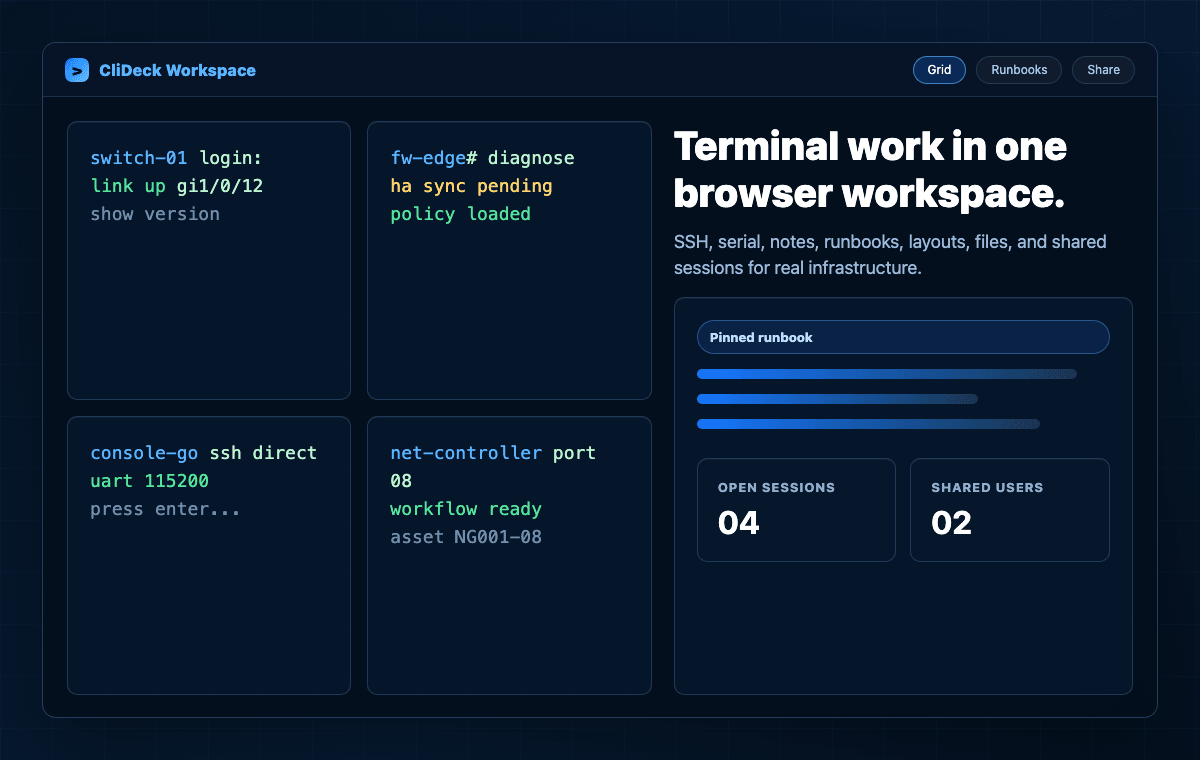
Choose CliDeck Workspace when terminal work needs more structure than a single local terminal window.
CliDeck Workspace is built for teams that need browser-based SSH, serial workflows, runbooks, notes, layouts, shared sessions, and operational context in one place.
A basic web terminal opens a shell or console in the browser. CliDeck Workspace goes further: it gives teams a place to arrange terminals, keep runbooks beside sessions, share access, save context, and work across multiple devices without losing track of what is happening.
A terminal is a window. CliDeck Workspace is where the work happens.
PuTTY, screen, minicom, SecureCRT, and local SSH clients are still useful. CliDeck Workspace is designed for cases where terminal work needs to be organized, repeated, shared, or documented.
| Need | Traditional terminal tools | CliDeck Workspace |
|---|---|---|
| One quick SSH or serial session | Good | Good |
| Multiple sessions in one organized view | Manual window management | Built-in Free / Grid / IDE / Tabs layouts |
| Runbooks beside terminals | Usually separate document | Built into the workspace workflow |
| One-click command sending | Manual copy/paste | Yes, through runbooks |
| Auto-run command sequence | Requires scripts or external tools | Yes, where prompt-based auto-run is configured |
| Send commands to multiple sessions | Manual or custom scripts | Yes, across open terminal windows where configured |
| Share live terminal with another person | Usually screen share or copy/paste | Shared terminal sessions with controlled permissions where supported |
| Keep notes and logs with the session | Manual files or external tools | Workspace notes, logs, and troubleshooting traces |
| Work with portable console hardware | Separate workflow | Console Server Go and Net Controller integration |
| Remote hands support | Usually chat, screenshots, or desktop sharing | Shared terminal and controller workflows |
Classic terminal tools open connections. CliDeck Workspace helps teams organize, guide, share, and document terminal work.
CliDeck Workspace gives infrastructure teams a browser-based place to open sessions, arrange windows, follow runbooks, share access, and preserve context.
Launch the browser workspace and choose a layout that fits the job.
Open SSH sessions, serial workflows, local interfaces, Console Server Go controllers, Net Controller ports, or other supported connection types.
Use Free, Grid, IDE, or Tabs layouts to keep terminals, notes, runbooks, and logs visible.
Type manually, send commands from a runbook, or use auto-run behavior where configured.
Invite another authorized user to view or help with the live terminal session where sharing is enabled.
Use notes, logs, and troubleshooting traces so the work does not disappear into chat screenshots or scattered terminal windows.
Open the workspace. Add sessions. Arrange windows. Run commands. Share when needed. Keep context.
Different jobs need different terminal layouts. CliDeck Workspace supports multiple ways to arrange sessions so engineers can work with one device, several devices, or a mix of terminals, notes, and runbooks.
Place and resize terminal windows freely when you need a flexible troubleshooting desk.
Tile multiple sessions when you need to monitor several devices at once.
Use a developer-style workspace with terminals, files, notes, and runbooks arranged for focused work.
Keep many sessions open without crowding the screen.
Use the layout that matches the job — not the other way around.
A runbook in CliDeck Workspace can be as simple as a plain command list — one command per line. No Python, no Ansible, no YAML, and no programming knowledge required for basic workflows.
Send a command with one click, or press Play and let CliDeck run commands one by one, waiting for the device prompt before sending the next line where configured.
Write commands. Press Play. CliDeck handles the timing.
Infrastructure work often involves more than one terminal. CliDeck Workspace lets teams keep multiple sessions visible, compare outputs, run repeated checks, and work across different access types from one screen.
Stop jumping between scattered terminal windows. Work from one organized browser workspace.
When an operator, student, remote-hands technician, or field engineer needs help, they should not have to copy terminal output into chat or share their entire desktop. CliDeck Workspace can turn the live terminal into a shared session where another authorized user can watch and help.
The session owner can control who can view output and who is allowed to type commands where supported.
Share the terminal, not the whole desktop.
Remote hands work often turns into slow command relay: the technician copies output into chat, waits for instructions, enters commands, and sends screenshots back. CliDeck Workspace helps replace that with a live shared terminal workflow.
A technician can connect the physical device through Console Server Go or another supported path, while the customer or senior engineer works with the live terminal remotely.
Remote hands connect the device. The engineer works the terminal.
CliDeck Workspace is useful for training on real infrastructure. Instructors can keep terminals, runbooks, notes, and shared sessions in one place while students work through real tasks.
Instead of relying only on simulators, teams can connect real hardware and let students practice with guided access, live observation, and controlled help where supported.
Teach with real terminals, real devices, and real workflows.
CliDeck Workspace is the software layer that makes CliDeck hardware more useful.
Open a pocket-size rack-side console controller as a browser terminal. Use it for portable console access, remote hands, shared sessions, SSH Console workflows, and field troubleshooting.
Console Server GoOpen 12-port batch processing workflows for ITAD, recovery, provisioning, barcode/API tracking, evidence-style logs, and documented network device results.
Net ControllerUse local browser-supported serial workflows where available, plus deployed local components where the environment requires them.
Hardware connects to the device. Workspace organizes the work.
CliDeck Workspace is useful when terminal work becomes too scattered, repetitive, or hard to hand off.
Use Workspace layouts to keep SSH, serial, controller sessions, notes, and runbooks organized.
Use runbooks with one-click command sending or auto-run behavior where configured.
Share the terminal session with an authorized helper instead of sending screenshots or sharing the whole desktop.
Use shared terminal workflows so the customer or senior engineer can work with the live session directly where supported.
Keep notes, session logs, and troubleshooting traces closer to the terminal workflow.
Use the same Workspace model with Console Server Go and Net Controller workflows.
CliDeck Workspace helps turn terminal chaos into an organized operational workflow.
Use browser layouts, runbooks, notes, and shared sessions while troubleshooting switches, routers, firewalls, appliances, and lab devices.
Use Workspace with portable console hardware and shared terminal workflows for rack-side and remote support.
Use shared sessions so customers or senior engineers can work with live terminals without taking over the technician’s full desktop.
Use Workspace with Net Controller workflows for network device processing, recovery, provisioning, logs, and evidence-style results.
Use runbooks, multi-session layouts, and shared terminal workflows across customer environments.
Use real devices, shared terminals, and runbooks for practical training and validation.
Use Console Server Go and Workspace to work from a more comfortable place after connecting at the rack.
CliDeck Workspace is a browser-based terminal workspace for SSH, serial workflows, runbooks, notes, layouts, logs, and shared sessions.
Different teams may describe CliDeck Workspace in different ways. It can fit several common search and buying categories:
CliDeck Workspace combines browser terminal access, layouts, runbooks, notes, logs, and shared sessions for teams that work with real infrastructure.
CliDeck Workspace should be described accurately.
CliDeck Workspace organizes terminal work, but the exact access path depends on the device, browser, controller, network, and deployment model.
CliDeck Workspace is a browser-based terminal workspace for SSH, serial workflows, runbooks, notes, layouts, logs, and shared terminal sessions.
No. A basic web terminal opens one session. CliDeck Workspace is designed to organize multiple sessions, runbooks, notes, logs, shared access, and hardware controller workflows in one browser workspace.
CliDeck Workspace can replace or complement classic terminal tools when teams need browser layouts, runbooks, shared sessions, notes, logs, and controller workflows. For one quick local session, classic tools may still be enough.
Yes. CliDeck Workspace is designed for SSH workflows along with serial and controller-based workflows where supported.
Yes, depending on the access path. Serial workflows may use browser-supported local interfaces, Console Server Go, Net Controller, or other supported deployment components.
Yes. CliDeck Workspace is intended to work from Mac, PC, iPad, and Android tablets through the web app. Phone-sized workflows are better treated as roadmap or dedicated mobile app work.
No. Web Serial availability depends on browser support. CliDeck can also work with controller-based and deployed access paths where appropriate.
Workspace layouts let users arrange terminal sessions and tools in different ways, including Free, Grid, IDE, and Tabs layouts.
Runbooks are guided command workflows that can be as simple as a plain list of commands, one command per line. They help reduce copy/paste mistakes and make repeated procedures easier to follow.
No. Basic runbooks can be plain command lists. More advanced runbook behavior may include prompt-aware auto-run logic and other workflow features where configured.
Yes, where sharing is enabled. Authorized users can view a live terminal session, and the session owner can control who is allowed to type commands where supported.
A remote-hands technician can connect the physical device, while a customer or senior engineer works with the live terminal remotely through CliDeck instead of relying on screenshots or chat-based command relay.
Console Server Go can provide pocket-size rack-side console access, while CliDeck Workspace gives users the browser terminal, layouts, runbooks, sharing, and session context around that connection.
Net Controller supports larger 12-port batch workflows, while Workspace provides browser terminal access, supervision, logs, and workflow context for supported operations.
Not always. Browser Workspace and shared terminal workflows may use CliDeck coordination/relay unless deployed through a local or self-hosted setup. Access behavior depends on product and configuration.
CliDeck Workspace is designed to grow from a browser terminal workspace into a broader infrastructure operations platform. Roadmap and enterprise options may depend on deployment model, customer requirements, and project-specific integrations.
Purpose-built phone apps for small-screen terminal checks, shared sessions, emergency access, and field workflows.
Conditions, variables, retries, stronger prompt detection, stop conditions, approvals, and smarter auto-run behavior while keeping basic runbooks simple.
Reusable team runbooks organized by customer, device family, operation type, and approval status.
Stronger team permissions for who can open sessions, run commands, share terminals, manage devices, or edit runbooks.
LDAP, Active Directory, RADIUS, TACACS+, SAML, or OIDC integration for enterprise identity and access workflows.
Stronger protection for shared or relayed terminal sessions between authorized participants.
Deployment options where Workspace coordination and terminal workflows stay inside a customer-controlled environment.
Search, filter, export, and review session logs, troubleshooting traces, and operational history.
Require approval before selected commands, runbook steps, or shared-session actions are executed.
Detect and hide passwords, tokens, keys, certificates, and other sensitive values from logs where possible.
Package session context, notes, logs, current prompt state, and recommended next steps for another engineer.
Expose workspace, terminal, runbook, sharing, logging, and controller workflows through APIs for customer integrations.
Use CliDeck Workspace for SSH, serial workflows, runbooks, notes, layouts, logs, shared sessions, and portable console hardware integration.