
API & Integrations
Connect CliDeck workflow data to the systems that run your operation.
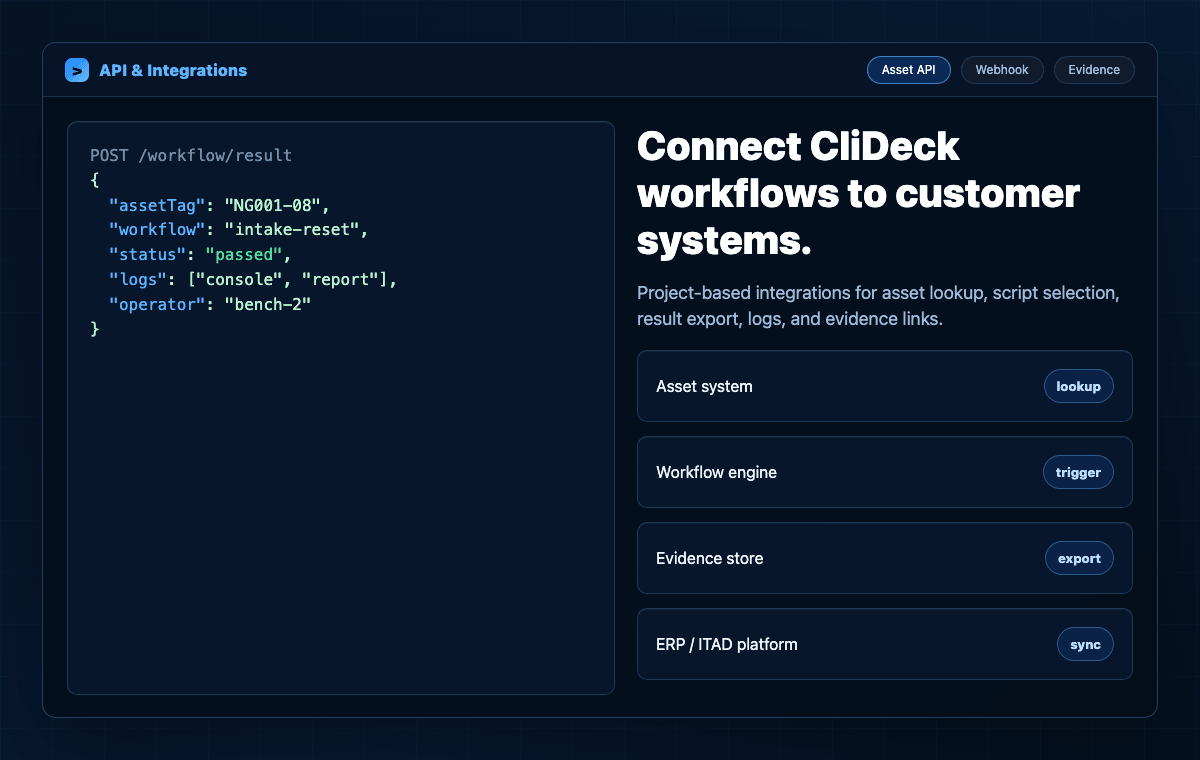
CliDeck integrations can connect asset systems, workflow tools, evidence stores, ITAD platforms, and internal reporting systems around real device work.
What it does
Core capabilities that connect this software layer to CliDeck hardware, Workspace, and real infrastructure workflows.
Asset lookup
After a barcode or asset tag scan, integrations can request device metadata from a customer system.
Workflow selection
Known model, asset status, or customer rules can help select the required script or operator workflow.
Result writeback
Return workflow status, pass/fail/exception results, timestamps, and operator context to the customer system.
Evidence links
Provide links or structured references to logs, reports, and evidence packages where configured.
Controller state
Use controller and session state to understand which boxes, ports, workflows, and operators are active.
Webhooks by project
Use webhook-style event delivery for selected workflow events when the customer deployment requires it.
Typical integration sequence
The exact API contract is project-specific, but the common pattern is asset lookup, controlled execution, and result export.
- 01
Scan
Capture a barcode, serial number, asset tag, controller port, or device identifier.
- 02
Lookup
Request known asset data, required workflow, customer flags, or processing instructions.
- 03
Run
Execute the selected CliDeck workflow in Workspace or on Net Controller where applicable.
- 04
Write back
Return status, logs, result fields, operator context, and exception details.
- 05
Archive
Store or link reports and evidence packages according to customer retention policy.
Integration targets
CliDeck API work is most valuable when terminal workflows need to become part of a larger operational system.
ITAD and asset systems
Connect device processing results to inventory, resale, repair, recycling, or customer reporting systems.
Internal workflow tools
Coordinate status, assignments, exceptions, and approvals with tools already used by operations teams.
Audit and evidence storage
Keep logs, result summaries, and supporting evidence discoverable after the physical work is finished.
Public API access, scopes, webhook delivery, and data schemas are provided by project and should be reviewed against customer security requirements.
Bring this workflow into CliDeck.
CliDeck integrations can connect asset systems, workflow tools, evidence stores, ITAD platforms, and internal reporting systems around real device work.