
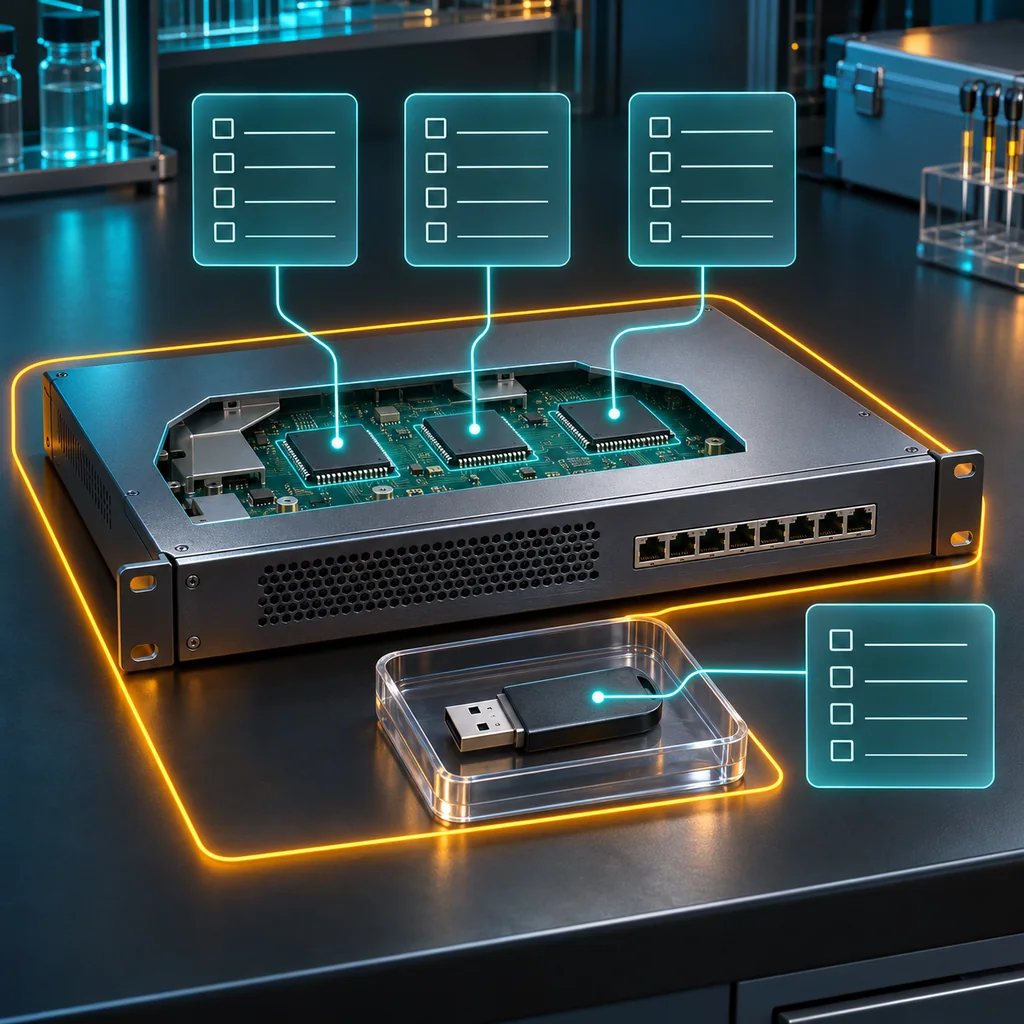
Network Appliance Sanitization: Attached Storage Scope
Short answer
Before sanitizing a network appliance, reconcile every storage-bearing object with the intended erase operation. Embedded storage, removable media and copies retained elsewhere need explicit dispositions. A factory-default configuration does not, by itself, establish what happened to all of them.
Also check the opposite risk: a supported media-scrubbing operation may affect more than the main internal drive. An attached USB device can be an unintended target. Freeze the attachment list and approved scope before the irreversible step, then verify outcomes against that same list.
Who this is for
This guide is for authorized ITAD and refurbishment teams building an appliance's data-removal scope. Its distinct task is reconciling storage objects and erase reach, rather than choosing a reset command or designing a general resale certificate.
The hardware example is a Juniper SRX300, which has a USB storage port as well as separate console connections. The read-only CLI examples use Junos OS operational mode. An SRX300 recorded as running 22.4R3 is a scenario for documenting context, not a tested configuration or blanket approval of a destructive option on that release.
Verification note: No appliance was queried, reset or erased while preparing this article. No real device logs were used. The examples and acceptance checks are review criteria; hardware, software and command availability must be confirmed on the actual asset.
When to use this
Use the workflow when an appliance arrives with removable media, when a wipe report mentions only the configuration, or when a procedure says that it treats attached storage. It also applies when a chassis changes hands but a module, storage device or exported support archive has a different destination.
When not to use this
Do not use it to erase an active production device, remove a component without its service procedure, or infer authorization from possession of a console cable. It is not a universal reset runbook. A missing inventory entry or unclear erase scope is a reason to hold the job, not to try a more destructive command.
Build an object map, not a list of filenames
Start with the physical processing set: the chassis, installed storage-bearing components, attached removable media and any separately received media associated with the asset. Use the hardware/service information and approved physical inspection to establish what is present. Do not assume every appliance has the same storage technologies or removable components.
Then map logical observations onto those objects. A filesystem name identifies a software-visible object, not necessarily one whole physical device. Several filesystems may share a medium; a physical component may have storage that the ordinary CLI does not enumerate.
For each object, keep five fields:
| Field | What the reviewer needs |
|---|---|
| Identity | A private asset or component reference that can be reconciled later |
| Location | Internal, attached, separately bagged, or retained elsewhere |
| Data role | What target data might have been stored there |
| Operation reach | The evidence that the selected technique includes or excludes it |
| Disposition | Accepted sanitization, controlled retention, separate processing, or unresolved hold |
This is a proposed job-record structure, not an industry standard or a quantitative coverage score. Its value is that a missing object remains a visible exception. Do not mark “not applicable” merely because an interface cannot display its contents.
A concrete removable-media boundary
On the SRX300, the storage-capable USB port is distinct from the mini-USB console port. A cable attached for console management is not a USB storage inventory entry. A USB stick connected to the storage port is a separate object that needs identification and an approved disposition.
For Junos OS, request system zeroize and its media option have different described behavior. The basic operation removes user-created files by unlinking them. The media option describes scrubbing attached storage, including removable USB media, with platform and release restrictions. Do not assume that a shorter command and a media-scrubbing variant have identical reach.
The option's availability has explicit exceptions, including Junos/FreeBSD and platform qualifications; the SRX5000 line is excluded from the stated SRX media-option support. Those distinctions prevent a generic command description from becoming an unqualified SRX300 22.4R3 execution instruction.
For the actual job, resolve the exact platform, release, supported procedure and attached-device behavior before approving any destructive action. The command names above explain why scope matters; they are not instructions to execute an erase.
Collect bounded observations
On an authorized Junos OS asset in operational mode, these commands support intake:
show version
show chassis hardware
show system storage
show version identifies software context. show chassis hardware supports hardware reconciliation. show system storage reports filesystem space information. None is a statement that every physical storage location has been enumerated or sanitized.
Preserve the actual release, model and relevant component identities privately. Check command availability and supported output on the installed release. Do not expect a field introduced in a later release to appear on an older system, and do not replace an absent command with an undocumented shell probe.
A storage table showing free space cannot settle whether a disconnected USB stick exists in the intake bag. Conversely, an image of an empty port cannot establish what was previously exported to removable media. Use physical and logical observations together, with their different limits.
Keep data categories separate from their copies
Configurations, logs, exported reports and key material are categories to investigate. They are not necessarily separate physical media. Attach the relevant categories to each object's record without inventing a chip-level layout for an unknown appliance.
For keys, ask whether the approved procedure addresses the required key material and whether retained copies or recovery paths require separate handling. Deleting a local configuration should not be recorded as deletion of a private backup elsewhere.
For a support archive exported before processing, decide its retention and access policy independently of the appliance's wipe result. The archive is not sanitized merely because the source device reboots with defaults. If retaining evidence is authorized, record controlled retention rather than claiming that all copies have been deleted.
NIST SP 800-88 Rev. 2, published September 2025 and superseding Rev. 1, separates inspection of sanitization outcomes from deciding whether they are adequate. That distinction is useful here: an expected boot state and a complete storage-scope reconciliation answer different acceptance questions.
Workflow
1. Establish the processing set and authority
Record the chassis identity, intended destination and authorized data-removal scope. Include received accessories and separately bagged media. Identify who can decide whether an attachment is to be erased, retained or returned.
Keep the appliance isolated through the approved decommissioning process. Do not reconnect it to a former controller or customer environment simply to obtain a more convenient inventory. Any required access or topology change belongs in its own approved operational procedure.
2. Reconcile physical objects with CLI context
Inspect externally visible ports and media through the permitted handling procedure, then compare the observations with bounded hardware, version and filesystem outputs. For internal inspection, use the actual service instructions, power-state requirements and component handling controls.
Record disagreements explicitly: unexpected storage, a missing component, an unknown owner for a USB stick, or a logical volume that cannot be associated with the intended asset. Stop before erasure when identity or authority is unresolved.
3. Write the erase reach beside each object
For every item intended for sanitization, identify the exact supported technique and evidence of its reach. For every excluded item, record why it is excluded and its separate disposition. “The device was reset” is not a substitute for those entries.
If the supported operation includes all attached media, check both undercoverage and overcoverage. Could a customer backup remain untreated elsewhere? Could a technician's removable device be erased unintentionally? The two questions require different corrections.
4. Freeze attachments before approval
Make a final attachment inventory immediately before the irreversible boundary. Reconcile it with the approved set. Do not add a convenient recovery stick after approval without reevaluating whether the operation will affect it.
If an item must be removed or retained, follow its supported removal procedure; do not unplug a mounted or boot-dependent medium casually. Label and track removed items through the private asset process. Removal changes the processing set, so preserve that change in the record.
If an unexpected attachment is found after the operation starts, follow the documented interruption or recovery procedure. Do not hot-unplug it to improvise a narrower scope, and do not claim that an interrupted job completed.
5. Execute a separate, scoped procedure
Use the approved model/release-specific sanitization runbook, stable power and authorized access path. That runbook must establish which operation is supported, its effects, expected completion signals and failure handling. This article does not supply a ready-to-run destructive invocation.
Capture the actual operation and outcome rather than only the requested setting. Keep initial acceptance, background processing and final completion distinct where the product exposes those stages. A session disconnect or default login prompt does not automatically close the storage record.
6. Reconcile outcomes before release
Return to the frozen object list. Match each intended target to its operation evidence, any errors, and its final disposition. Match each retained or excluded item to its custody record. Do not erase the distinction between “not included” and “included and successfully treated.”
If a storage object is inaccessible or its treatment cannot be established, retain it under controlled custody and escalate. A supported alternative or approved destruction may be needed. Sampling visible filesystem contents cannot prove sanitization of inaccessible physical regions.
A synthetic reconciliation example
Suppose appliance A arrives with internal storage and USB item B. B must be retained for its owner under an approved retention instruction. The proposed operation may scrub attached USB storage.
The preflight decision is to resolve B's supported handling and custody before approving that operation. It is not to run the erase and hope that B was outside its scope. If B is removed through an approved process, the attachment record changes, and B receives its own custody reference.
Afterward, an accepted result for A does not make B a sanitized item. The final record can state that A's approved scope completed and B was retained separately. This example describes a decision process, not an observed appliance outcome or a claim of SRX firmware behavior.
Verification checklist
- The physical processing set matches the authorized asset and component records.
- USB storage and console connections are distinguished correctly.
- Software-visible filesystems are not mistaken for a complete physical inventory.
- The actual model/release-specific operation reach is resolved.
- Attached media are reconciled immediately before the irreversible step.
- Every included, excluded or retained item has a distinct final disposition.
- Errors, interruptions and inaccessible regions remain visible to the reviewer.
- Release follows acceptance of the actual result, not the reset label alone.
Resale and evidence checklist
Keep the private object map, supported procedure reference, frozen attachments, actual outcome and reviewer decision together. A public sale summary should describe only the accepted scope. Do not claim that retained backups, removed media or remote copies were erased by the chassis operation.
What not to publish
Keep serial numbers, media labels, file paths containing customer identifiers, configurations, key material and raw CLI output private. Photos of attachments can expose ownership and sensitive labels. Public examples should use synthetic references and explain the boundary without revealing customer data.
Common mistakes
Errors include counting filesystems as physical drives, assuming every USB connection is storage, and forgetting that an erase may reach removable media. Another is using one successful chassis result to close every associated media item. Keep the object list and actual operation evidence linked throughout processing.
CliDeck workflow fit
An appliance sanitization runbook can track the chassis, each storage object, attachment changes and individual dispositions as separate review items. This is workflow guidance, not a claim that forthcoming CliDeck wiping software discovers hidden chips, automatically sanitizes network appliances or certifies their results.
FAQ
Does a factory-default configuration prove every storage object was sanitized?
No. Establish the supported operation's reach and reconcile each relevant object's result separately.
Should removable USB media always be unplugged before erasure?
No universal rule applies. Determine the approved scope and supported removal procedure first. The medium may be required for boot, included intentionally, or subject to a separate retention instruction.
Can filesystem free-space output establish physical erase coverage?
No. It is a software-visible observation with a narrower purpose. It does not enumerate every disconnected or inaccessible storage location.