
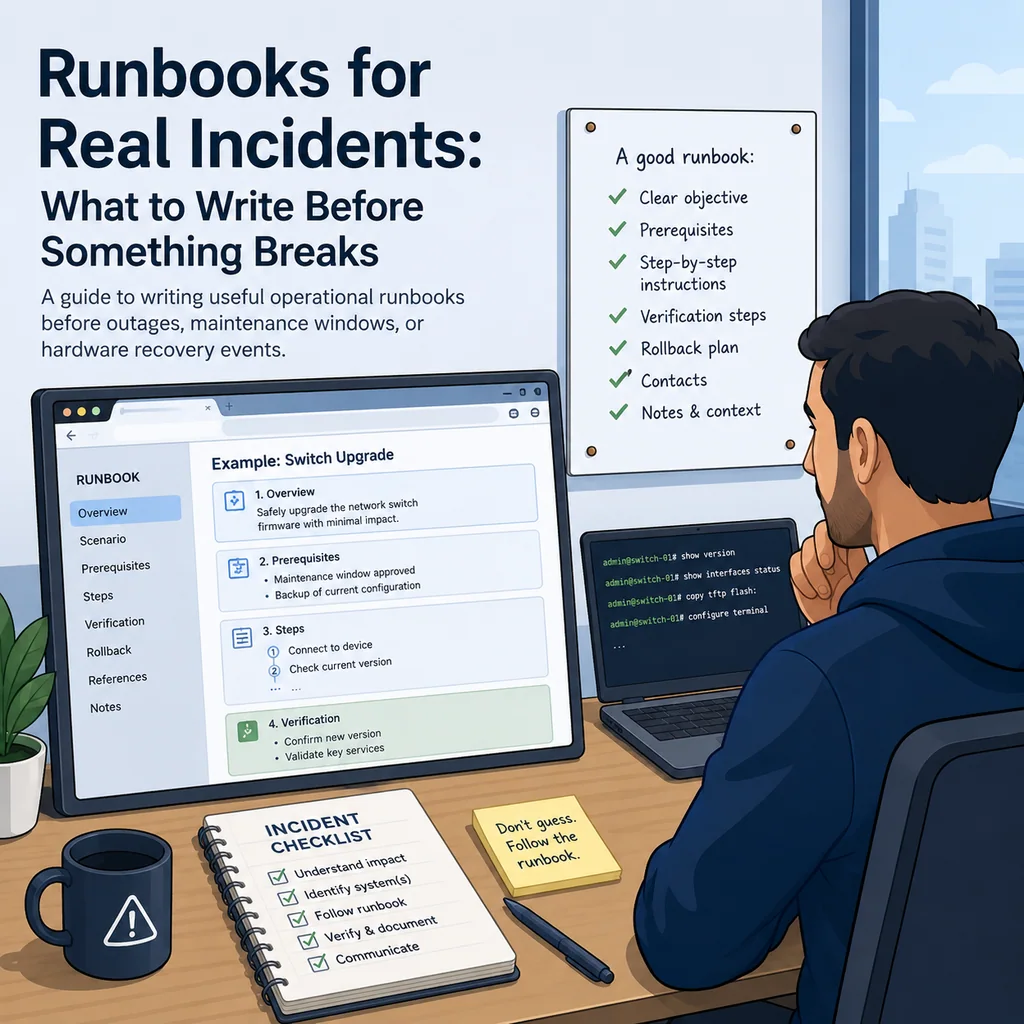
Runbooks for Real Incidents: What to Write Before Something Breaks
Short answer
A useful incident runbook states what to check, what not to touch, when to escalate, how to verify recovery, and how to hand off the work. Write it before an outage so the team can act from a clear plan instead of reconstructing the process under pressure.
Why runbooks matter during real incidents
During an incident, people are tired, rushed, and trying to make decisions with incomplete information.
That is the worst time to invent the process.
Without a runbook, teams often:
- Repeat the same checks
- Miss basic verification steps
- Type commands into the wrong system
- Restart services too early
- Save temporary network changes permanently
- Forget rollback conditions
- Close console sessions too soon
- Lose track of who owns which terminal
- Hand off work with no current-state summary
- Declare recovery before the affected path is actually fixed
A good runbook does not remove the need for judgment. It gives judgment a safer structure.
Write for the person who is under pressure
A runbook should be written for someone who is capable but busy.
Assume the person reading it:
- May not know the system as well as you do
- May be joining halfway through the incident
- May have several terminal sessions open
- May be working over SSH, serial console, or a jump host
- May need to decide whether to continue, pause, or escalate
- May be afraid of making the situation worse
That means the runbook should be practical, direct, and easy to scan.
Avoid vague instructions like:
Check the network.
Write something usable:
Check whether the management VLAN is present on the uplink trunk:

show interfaces trunk
show vlan brief

If the VLAN is missing, do not replace the full allowed VLAN list from memory. Escalate or follow the approved VLAN recovery step.
Start with the runbook purpose
Every runbook should begin with a short purpose statement.
Example:
Purpose:
Use this runbook when SSH access to a network device fails but serial console access is available.
Another example:
Purpose:
Use this runbook when nginx is running but external HTTPS checks fail after a certificate change.
A clear purpose prevents people from using the wrong runbook for the wrong problem.
Define when to use it
Write the trigger conditions clearly.
Example:
Use this runbook when:
- Monitoring shows app-03 HTTPS check failing.
- SSH access to app-03 still works.
- nginx is the suspected service.
- No full host outage is confirmed.
For network equipment:
Use this runbook when:
- A switch is unreachable over SSH.
- The device is reachable through serial console.
- The device appears booted into the normal OS.
- The goal is to restore management access, not perform password recovery.
This keeps the runbook focused.
Define when not to use it
This section is just as important.
Example:
Do not use this runbook when:
- The device is in bootloader or ROMMON.
- The hostname does not match the ticket.
- The task requires password recovery.
- A firmware upgrade is currently running.
- No approved change window exists for configuration changes.
For service restarts:
Do not use this runbook when:
- The service controls your only SSH path.
- No fallback access is available.
- The config test fails.
- The maintenance window is not active.
This helps prevent a runbook from being stretched into an unsafe situation.
List the systems involved
A runbook should tell the operator which systems matter.
Use a simple table or list:
Primary system:
app-03

Related systems:
jump-01
load-balancer-01
monitoring
DNS

Access path:
operator laptop -> VPN -> jump-01 -> app-03
For network work:
Primary device:
core-sw-02

Related devices:
core-sw-01
fw-01
jump-01
monitoring host

Access paths:
SSH through jump-01
Serial console through rack controller port 4
This reduces confusion during incidents with multiple terminals.
For multi-session work, see How to Organize Multiple Device Sessions During an Incident.
Add target verification steps
Before any command that changes state, the runbook should make the operator confirm the target.
For Linux or Unix-like systems:
hostname
hostname -f
whoami
pwd
date
ip addr show
For network devices:
show running-config | include hostname
show version
show clock
show users
show ip interface brief
For serial console work:
Confirm:
- Rack label
- Console controller port
- Device prompt
- Device model
- Ticket target
Runbook note:
Stop if the hostname, prompt, rack label, or ticket target does not match.
For a deeper workflow, see How to Avoid Working on the Wrong Server or Network Device.
Separate read-only checks from change steps
A good runbook makes it obvious which steps are safe observations and which steps change state.
Use headings like:
Read-only checks
and:
Change steps
Example:
READ-ONLY CHECKS

systemctl status nginx --no-pager
sudo nginx -t
journalctl -u nginx --since "30 minutes ago" --no-pager
Then:
CHANGE STEP

Only run this after nginx -t passes and the maintenance window is active:

sudo systemctl reload nginx
For network devices:
READ-ONLY CHECKS

show interfaces trunk
show vlan brief
show logging | last 50
Then:
CHANGE STEP

Only after approval:

configure terminal
interface Gi1/0/24
switchport trunk allowed vlan add 40
end
This helps operators avoid accidentally treating a change command as a diagnostic command.
Include expected output
Commands are more useful when the runbook says what to look for.
Weak:
Run nginx -t.
Better:
Run:

sudo nginx -t

Expected:
syntax is ok
test is successful

If it fails:
Do not reload nginx. Capture the error and escalate.
For network work:
Run:

show interfaces trunk

Expected:
Management VLAN appears in the allowed VLAN list on the expected trunk.

If missing:
Do not replace the full trunk VLAN list from memory. Use the approved narrow recovery step or escalate.
Expected output helps less experienced operators make better decisions.
Include stop conditions
A runbook should tell people when to stop.
Example:
Stop and escalate if:
- The hostname does not match the ticket.
- The config test fails.
- The device is in bootloader or recovery mode.
- The command output does not match the expected state.
- The change would affect the only management path.
- No rollback path is available.
- A required approver is not present.
This is especially important for remote work.
A confident stop is much safer than improvising under pressure.
Add rollback before the change
Rollback should appear before the change command, not after it.
Use this format:
Rollback trigger:
Rollback owner:
Rollback command or procedure:
Verification after rollback:
Example:
Rollback trigger:
nginx reload fails or external HTTPS check fails.

Rollback action:
Restore /etc/nginx/sites-enabled/app.conf.bak-2026-05-21.
Run sudo nginx -t.
Reload nginx only if syntax passes.

Verification:
systemctl status nginx.
Local curl.
External HTTPS check.
For network devices:
Rollback trigger:
Adding VLAN 40 causes unexpected trunk impact.

Rollback action:
Remove VLAN 40 from Gi1/0/24 trunk.

Verification:
show interfaces trunk.
Ping from jump host.
Monitoring status.

Save status:
Do not save until rollback decision is closed.
The operator should know how to back out before they move forward.
Define verification from outside the system
Local success is not always real success.
A service may be active locally but unreachable from users. A switch may accept a config command but still fail from the management network.
Include outside verification:
curl -I http://127.0.0.1
curl -I https://app.example
ssh user@app-03
nc -vz app-03 443
For network devices:
Verify from jump host:
- ping management IP
- SSH to management IP
- check monitoring recovery
A verification note:
Do not mark resolved until the affected path is verified from outside the device.
Include handoff notes
Incidents often last longer than one person’s shift.
Add a handoff template directly to the runbook:
HANDOFF

Current owner:
New owner:
Target:
Access path:
Current state:
Last command:
Last verified result:
Changes made:
Unsaved changes:
Still running:
Do not do:
Next step:
Rollback:
Open questions:
This prevents the next engineer from guessing.
For more detail, see Command Handoffs: How to Pass Terminal Work to Another Engineer Safely.
Include notes for copy-paste safety
Runbooks often contain commands. That means they can create copy-paste risk.
Add a short warning near risky command blocks:
Before pasting:
- Confirm target hostname or prompt.
- Confirm current mode.
- Read the command.
- Paste one command at a time.
- Do not paste the save command until verification is complete.
For network devices, avoid putting permanent save commands immediately after change blocks unless that is intentionally approved.
Riskier:
configure terminal
interface Gi1/0/24
switchport trunk allowed vlan add 40
end
write memory
Safer:
configure terminal
interface Gi1/0/24
switchport trunk allowed vlan add 40
end

Then verify before any save decision.
For safer paste habits, see Safe Copy-Paste Habits for SSH and Serial Console Work.
Write for SSH, serial console, and browser workspaces
A real incident may move across access methods.
Your runbook should say which access method is expected:
Primary access:
SSH through jump-01

Fallback access:
Serial console through rack controller port 4

Do not close:
Serial console session until SSH and monitoring are stable.
This matters during network outages, firmware upgrades, and risky remote changes.
For console recovery, see Console Access During a Network Outage: A Practical Recovery Checklist.
Include a final summary format
At the end of the incident, the operator should write a summary.
Add this to the runbook:
FINAL SUMMARY

Problem:
Start time:
End time:
Systems affected:
Root cause or likely cause:
Commands run:
Changes made:
Verification:
Rollback used:
Save/finalize status:
Follow-up:
Example:
FINAL SUMMARY

Problem:
Management SSH to core-sw-02 failed from jump-01.

Systems affected:
core-sw-02 management path.

Likely cause:
VLAN 40 missing from uplink trunk.

Changes made:
Added VLAN 40 back to trunk Gi1/0/24.

Verification:
Ping and SSH from jump-01 restored.
Monitoring recovered.

Rollback used:
No.

Save/finalize status:
Running config changed.
Startup config not updated.
Incident lead to approve save.

Follow-up:
Review previous change that removed VLAN 40.
This turns a stressful incident into a useful operational record.
A practical incident runbook template
Use this as a starting point:
INCIDENT RUNBOOK


## Who this is for

This guide is for operations teams, incident responders, network engineers, and system administrators who need to prepare, run, verify, and document operational terminal work on SSH, serial, browser terminal, and infrastructure operations workflows.

## When to use this

Use this guide when:

* Several commands or checks must be repeated safely.
* Another engineer, customer, onsite technician, or vendor may need context.
* The work should produce notes, logs, verification, or a clear handoff.

## When not to use this

Do not use this guide when:

* You do not own or have authorization to work on the device.
* The device is outside your approved change, recovery, or processing scope.
* The task may expose customer data, secrets, licenses, or credentials that you are not allowed to view or store.
* The work requires vendor-specific approval, legal approval, or a customer-specific procedure that is not covered here.

## Practical runbook format

A runbook does not need to be a complex script. For many operations, it can be a plain command list with notes, expected output, stop conditions, verification steps, and rollback instructions.

## What to include

* Purpose
* When to use it
* When not to use it
* Target system or device
* Access path
* Read-only checks
* Change steps
* Expected output
* Stop conditions
* Rollback steps
* Verification steps
* Handoff notes
* Final summary format

## Workflow

* Define the purpose, target device, access path, and approved scope.
* Run read-only checks first and record the expected healthy state.
* Execute commands from the runbook or handoff plan while watching for stop conditions.
* Verify the final state with independent checks.
* Summarize commands run, outputs reviewed, exceptions, and handoff notes.

## Verification checklist

* The target device or system is correct.
* Read-only checks were captured before the work.
* Stop conditions and rollback notes were available before changes.
* Final verification checks match the expected result.
* Notes, logs, and handoff summary are stored where the team can find them.

## Common mistakes

* Starting commands before confirming the target device and scope.
* Skipping read-only baseline checks.
* Copying commands without expected output, stop conditions, or rollback notes.
* Closing the work without a final verification summary.

## CliDeck workflow fit

CliDeck Workspace is designed for this kind of operational workflow. Teams can keep terminals, notes, runbooks, logs, and shared sessions in one browser workspace instead of spreading work across terminal windows, chat messages, screenshots, and separate documents.

CliDeck runbooks can be plain command lists, one command per line. Operators can send commands with one click or use auto-run behavior that waits for the prompt before sending the next line where configured.

## FAQ

### Does a runbook need to be code?

No. A useful runbook can be a plain list of commands, checks, notes, expected output, stop conditions, and verification steps.

### Why use a browser workspace for terminal work?

A browser workspace can keep terminals, notes, runbooks, logs, and shared sessions together, which helps during incidents, handoffs, maintenance windows, and remote support.

### Can shared terminal sessions be safer than screen sharing?

Yes, when implemented with clear view/type permissions. The helper can see the relevant terminal context without taking over the operator’s entire desktop.

### Can CliDeck help with this workflow?

Yes. CliDeck Workspace helps organize terminals, runbooks, notes, logs, and shared sessions. Console Server Go is useful when the workflow starts at a rack-side console port.

## Related guides

* [What to Check Before Restarting a Network Service Over SSH](/blog/what-to-check-before-restarting-a-network-service-over-ssh) - A practical pre-restart checklist for network services over SSH, including scope, impact, rollback, verification, and safe terminal workflow.
* [Junos NTP Checks: Peers, Reach and Synchronization State](/blog/junos-ntp-peers-reach-synchronization-state) - Capture Junos NTP peer selection, octal reach and system synchronization status before correlating device timestamps or starting maintenance.
* [Catalyst 9300 Boot Checks: Running Image versus Next Reload](/blog/catalyst-9300-running-image-next-reload-boot-checks) - Compare Catalyst 9300 running software with current and next-reload boot variables, preserving manual-boot context before maintenance.
* [Junos Optical Diagnostics: Power, Thresholds and Missing Data](/blog/junos-optical-diagnostics-power-thresholds-missing-data) - Read Junos optical power, module thresholds and alarm flags without treating missing telemetry as zero or certifying an entire optical path.
* [Catalyst Err-Disabled Ports: Cause, Detection and Recovery](/blog/catalyst-err-disabled-cause-detection-recovery) - Collect Catalyst err-disabled state, detection settings and recovery information separately before approving a port retry.