
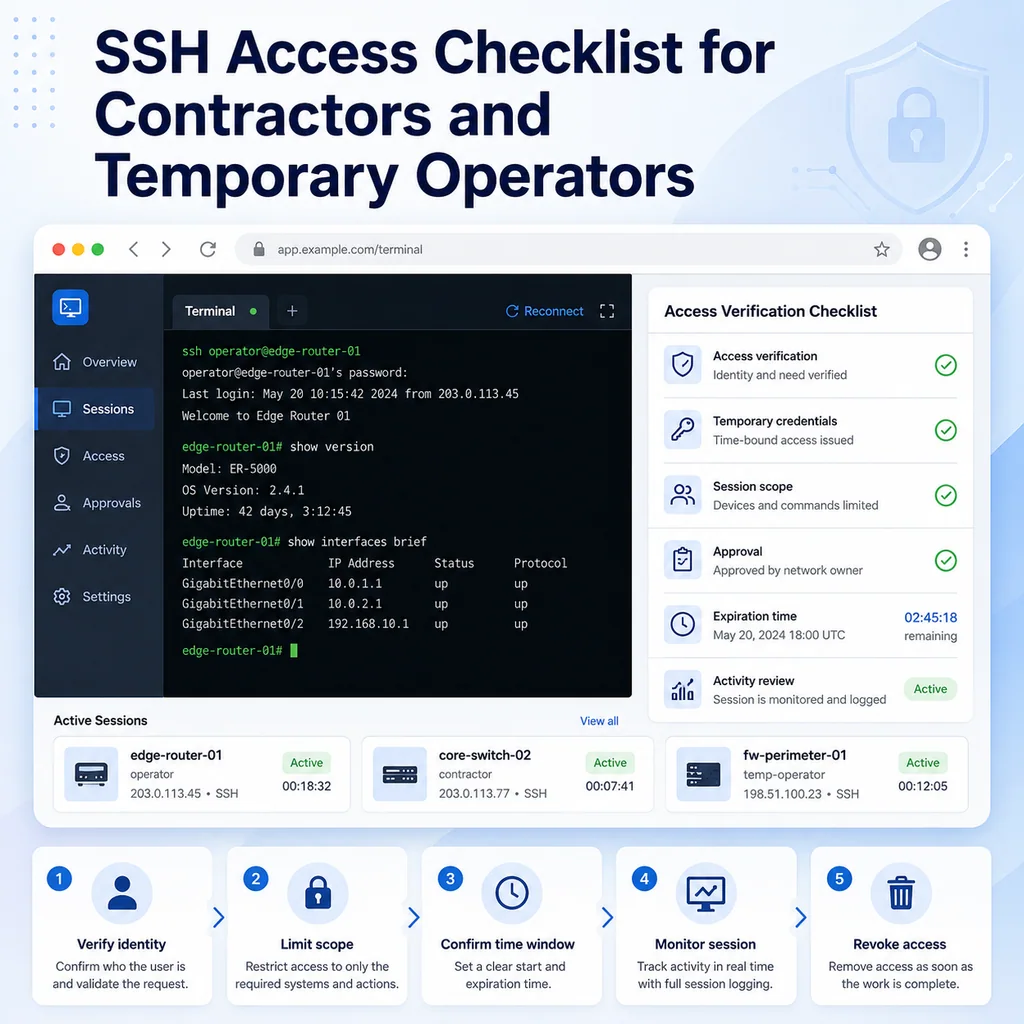
SSH Access Checklist for Contractors and Temporary Operators
Short answer
Contractor SSH access should be temporary, limited, documented, and easy to remove. Define the identity, systems, allowed actions, expiry time, and review path before access is granted, then confirm its removal when the engagement ends.
Why contractor SSH access needs a checklist
Contractors, vendors, freelancers, temporary operators, and short-term support engineers often need access quickly. A server is down, a migration is scheduled, a firewall issue needs help, or a vendor needs to inspect an appliance.
The risky part is not only the SSH connection itself. The risky part is unclear access.
Problems happen when:
- Everyone uses the same shared account
- Access remains active after the work ends
- The contractor can reach more systems than needed
- The contractor has sudo or admin rights without a clear reason
- Nobody knows which commands were run
- The work happens outside the approved window
- The wrong server is accessed
- A temporary SSH key becomes permanent
- No one owns the cleanup step
A checklist keeps the access narrow, visible, and reversible.
Define the work before granting access
Before creating or enabling SSH access, write the scope in plain language.
Use this format:
ACCESS REQUEST

Person:
Company / team:
Reason:
Systems needed:
Access start:
Access end:
Allowed tasks:
Not allowed:
Approver:
Internal owner:
Example:
ACCESS REQUEST

Person: Jordan Lee
Company / team: external database consultant
Reason: investigate slow queries on reporting database
Systems needed: report-db-02 only
Access start: 2026-05-21 20:00 local
Access end: 2026-05-21 23:00 local
Allowed tasks: inspect logs, run read-only database diagnostics
Not allowed: restart database, change firewall, modify system packages
Approver: infrastructure lead
Internal owner: Priya
If the scope cannot be written clearly, the access is not ready.
Identify the exact systems
Do not grant broad access when the work only needs one host.
Before granting access, list:
- Hostname
- IP address or management address
- Environment
- Device role
- Access path
- Whether this is production, staging, lab, or unknown
- Whether the system contains sensitive data
Example:
TARGET SYSTEMS

report-db-02
Environment: production
Role: reporting database replica
Access path: SSH through jump-01
Allowed user: contractor-jordan
Privilege: no sudo
Window: 20:00-23:00 local
Avoid vague target descriptions like:
database servers
or:
network devices
Those descriptions are too broad for temporary access.
For a deeper target-verification workflow, see How to Avoid Working on the Wrong Server or Network Device.
Use named accounts, not shared accounts
A contractor should not use a shared admin account if you can avoid it.
Named access makes it easier to know:
- Who connected
- When they connected
- Which systems they accessed
- What privilege level they had
- When access should be removed
Better:
contractor-jordan
vendor-sam
temp-operator-priya
Worse:
admin
support
contractor
temp
shared
If your environment requires shared access for a legacy system, document that risk clearly and monitor the session more closely.
A good note:
Legacy device only supports shared admin login.
Contractor will access under internal engineer supervision.
Access window: 20:00-21:00 local.
Internal owner will capture session notes.
Prefer keys over passwords
SSH key-based access is usually easier to control than shared passwords, especially for temporary access.
Before adding a key, confirm:
- Who owns the key
- Whether it is the correct public key
- Which account it is attached to
- Which systems will accept it
- When it will be removed
- Whether it has command restrictions or source restrictions where appropriate
A useful key note:
SSH key:
Owner: Jordan Lee
Account: contractor-jordan
Systems: report-db-02 only
Added: 2026-05-21 19:45 local
Expires: 2026-05-21 23:00 local
Removal owner: internal operator
Do not paste private keys into tickets, chats, terminal notes, or shared workspaces.
Limit the access path
Contractor access should use an approved path.
Common options include:
- SSH through a jump host
- SSH through VPN
- Browser-based terminal workspace
- Serial console under supervision
- Vendor support session monitored by an internal engineer
Document the path:
Access path:
contractor laptop -> VPN -> jump-01 -> report-db-02
or:
Access path:
contractor joins supervised browser terminal workspace.
Internal operator controls final command approval.
Avoid creating direct access to production systems unless it is specifically required and approved.
Grant the minimum privilege needed
Temporary access should start with the least privilege that can complete the task.
Ask:
- Does the contractor need shell access?
- Do they need sudo?
- Do they need root?
- Do they need write access?
- Do they need access to production?
- Do they need access to multiple hosts?
- Can the work be done with read-only access?
- Can an internal engineer run privileged commands instead?
Example:
Privilege decision:
Contractor needs read-only log inspection and database diagnostics.
No sudo granted.
Internal engineer will run any service restart if needed.
For sudo access, be specific:
Allowed sudo:
systemctl status app-worker
journalctl -u app-worker
Avoid broad access unless the task truly requires it.
Set an expiration before access starts
Temporary access should have a removal time before it is granted.
Write it down:
Access expires:
2026-05-21 23:00 local
Also assign the person responsible for removing it:
Removal owner:
Alex
If the work runs long, extend access deliberately. Do not leave it open because everyone got busy.
A simple expiration note:
Access extension:
Original end: 23:00 local
Extended to: 23:30 local
Approved by: infrastructure lead
Reason: post-change verification still running
Prepare the contractor’s working instructions
Do not give SSH access and leave the contractor guessing.
Prepare a short working note:
WORKING INSTRUCTIONS

Target:
Access path:
Allowed commands:
Commands requiring approval:
Do not do:
Where to record findings:
Who to contact:
Example:
WORKING INSTRUCTIONS

Target: report-db-02
Access path: SSH through jump-01
Allowed commands: read-only diagnostics, log review, database status checks
Commands requiring approval: service restart, config edit, package install
Do not do: do not restart database, do not change firewall, do not edit network config
Where to record findings: maintenance notes
Who to contact: Priya
This avoids confusion during the session.
Confirm identity after login
Once the contractor or temporary operator connects, confirm the session is on the correct target.
For Linux or Unix-like systems:
hostname
hostname -f
whoami
pwd
date
ip addr show
For network devices:
show running-config | include hostname
show version
show clock
show users
show ip interface brief
Record:
Login confirmed:
User: contractor-jordan
Host: report-db-02
Environment: production
Access path: jump-01
Time: 20:03 local
If the hostname, prompt, account, or environment is unexpected, stop.
Keep contractor work visible
For temporary access, visibility matters.
Depending on your team’s process, visibility may mean:
- Live session notes
- A supervised terminal session
- Command plan review
- Session logging where approved
- A second engineer observing
- Ticket updates with timestamps
- A final summary after the session
A good live note:
20:05 - contractor connected to report-db-02
20:07 - confirmed hostname and read-only scope
20:12 - reviewed database slow query log
20:25 - found repeated timeout pattern from reporting job
20:31 - no system changes made
Do not rely on memory after the session ends.
For note structure, see Terminal Notes That Actually Help During Troubleshooting.
Separate observation from changes
Contractor sessions should clearly separate read-only work from changes.
Use labels:
Observation allowed:
- inspect logs
- check service status
- review config files
- run approved diagnostics

Changes require approval:
- edit files
- restart services
- change firewall rules
- install packages
- modify database settings
- update network configuration
If a change becomes necessary, pause and write a change note:
CHANGE REQUEST

Target:
Reason:
Command:
Expected result:
Risk:
Rollback:
Approved by:
Example:
CHANGE REQUEST

Target: report-db-02
Reason: reload reporting agent after config correction
Command: sudo systemctl reload report-agent
Expected result: agent reloads without interrupting database
Risk: reporting delay if reload fails
Rollback: restore previous config and reload
Approved by: infrastructure lead
This turns an informal request into a controlled operation.
Be careful with copy and paste
Contractors may copy commands from notes, vendor instructions, old tickets, or chat messages. That can be risky.
Before any pasted command:
- Confirm the target host
- Confirm the current directory
- Confirm the command applies to this environment
- Check for hidden newlines
- Check for destructive flags
- Check that variables were replaced
- Avoid pasting secrets into shared notes or logs
- Paste one command at a time when possible
High-risk commands include:
rm
dd
mkfs
reboot
shutdown
systemctl restart
iptables
nft
firewall-cmd
configure terminal
reload
delete
erase
write memory
For a full copy-paste workflow, see Safe Copy-Paste Habits for SSH and Serial Console Work.
Protect secrets and customer data
Temporary access should not expose more sensitive information than necessary.
Avoid putting these into terminal notes, chat, tickets, or shared sessions:
- Passwords
- Private keys
- API tokens
- Session cookies
- Database connection strings with credentials
- Customer personal data
- Recovery codes
- Unredacted secrets from config files
If the contractor needs credentials, use your approved secret-management process.
A safe note:
Credential handling:
Contractor used approved temporary credential.
Secret was not pasted into terminal notes or chat.
Credential removal scheduled after work window.
Monitor active sessions
During contractor access, keep track of active sessions.
On Linux systems:
who
w
last -a | head
For active SSH connections:
ss -tnp | grep ':22'
For network devices:
show users
A session note:
Active sessions:
contractor-jordan connected from jump-01
internal owner Priya connected separately
No other admin sessions observed
If a session appears from an unexpected source, pause and investigate.
Review what changed
At the end of the session, review changes before closing the work.
Ask:
- Were any files changed?
- Were any services restarted?
- Were any packages installed?
- Were any users or keys created?
- Were any firewall, route, VLAN, or network settings changed?
- Were any temporary files left behind?
- Were any credentials created or used?
- Did any command fail?
- Is there anything that still needs cleanup?
A final review note:
Change review:
Files changed: none
Services restarted: none
Packages installed: none
Users/keys added: contractor SSH key only
Network changes: none
Temporary files: none found
Follow-up: remove contractor SSH key at 23:00
If changes were made, document them exactly.
Remove access cleanly
When the work is complete, remove access immediately.
Depending on your environment, this may include:
- Removing SSH public keys
- Disabling temporary accounts
- Removing sudo rules
- Revoking VPN access
- Removing jump host access
- Revoking temporary credentials
- Closing shared sessions
- Removing temporary firewall allowances
- Confirming no contractor sessions remain active
Document cleanup:
ACCESS REMOVAL

User: contractor-jordan
Removed SSH key: yes
Disabled account: yes
Removed sudo access: not applicable
Revoked VPN access: yes
Confirmed no active sessions: yes
Removal time: 23:05 local
Removed by: Alex
If access cannot be removed immediately, document why and assign a specific follow-up owner.
Keep a final access record
The final record should answer what happened and whether access was removed.
Use this format:
FINAL CONTRACTOR ACCESS SUMMARY

Person:
Company / team:
Target systems:
Access window:
Access path:
Privilege level:
Work performed:
Changes made:
Verification:
Secrets handled:
Access removed:
Follow-up:
Example:
FINAL CONTRACTOR ACCESS SUMMARY

Person: Jordan Lee
Company / team: external database consultant
Target systems: report-db-02
Access window: 20:00-23:00 local
Access path: VPN -> jump-01 -> report-db-02
Privilege level: no sudo
Work performed: reviewed reporting database logs and slow query pattern
Changes made: none
Verification: internal owner reviewed findings
Secrets handled: no secrets pasted into notes
Access removed: SSH key removed, VPN access revoked
Follow-up: internal team to tune reporting job schedule
This summary is useful for audits, incident review, and future access decisions.
Contractor SSH access checklist
Use this checklist before, during, and after temporary SSH access.
[ ] Work scope is written.
[ ] Internal owner is assigned.
[ ] Approver is listed.
[ ] Exact target systems are listed.
[ ] Environment is identified.
[ ] Access path is approved.
[ ] Named account or named key is used.
[ ] Shared account risk is documented if unavoidable.
[ ] Minimum privilege is granted.
[ ] Sudo access is limited or avoided.
[ ] Access start and end time are defined.
[ ] Removal owner is assigned.
[ ] Allowed tasks are written.
[ ] Disallowed tasks are written.
[ ] Identity is confirmed after login.
[ ] Live notes are kept during work.
[ ] Changes require approval.
[ ] Secrets are protected.
[ ] Active sessions are monitored.
[ ] Final changes are reviewed.
[ ] SSH keys or accounts are removed.
[ ] VPN or jump access is revoked.
[ ] Final access summary is written.
Common mistakes to avoid
Using a shared admin account
Shared accounts make it harder to know who did what. Use named access whenever possible.
Granting broad access for a narrow task
If the contractor only needs one host, do not grant access to a whole subnet or device group.
Forgetting the expiration
Temporary access should not depend on someone remembering days later. Set the end time before access starts.
Giving sudo too quickly
Many tasks can start with read-only access. Add privilege only when the need is clear and approved.
Not supervising risky changes
If the contractor needs to change production systems, use a clear command plan and internal approval.
Leaving keys behind
Old SSH keys are one of the easiest temporary-access mistakes to miss. Remove them when the session ends.
Where CliDeck fits
CliDeck is a browser-based workspace for SSH, serial console, runbooks, shared terminal workflows, controller management, and remote operations.
For contractor and temporary operator access, the important need is control and context. The access path, target identity, allowed scope, notes, command plan, and cleanup steps should stay close together.
CliDeck does not replace identity management, access approval, or security policy. But a clear browser-based workspace can help teams keep temporary operational work organized while reducing context loss during SSH and console sessions.
For related workflows, see Least-Privilege Terminal Access: Simple Rules for Small Teams and SSH Session Logging: What to Save, What to Avoid, and Why It Matters.
Final thought
Contractor SSH access should be easy to understand, easy to monitor, and easy to remove.
If you can answer who had access, why they had it, what they could reach, what they changed, and when access was removed, the process is healthy. If any of those answers are unclear, tighten the checklist before the next temporary session.
Who this is for
This guide is for operations teams, incident responders, network engineers, and system administrators who need to prepare, run, verify, and document operational terminal work on SSH, serial, browser terminal, and infrastructure operations workflows.
When to use this
Use this guide when:
- Several commands or checks must be repeated safely.
- Another engineer, customer, onsite technician, or vendor may need context.
- The work should produce notes, logs, verification, or a clear handoff.
When not to use this
Do not use this guide when:
- You do not own or have authorization to work on the device.
- The device is outside your approved change, recovery, or processing scope.
- The task may expose customer data, secrets, licenses, or credentials that you are not allowed to view or store.
- The work requires vendor-specific approval, legal approval, or a customer-specific procedure that is not covered here.
Practical runbook format
A runbook does not need to be a complex script. For many operations, it can be a plain command list with notes, expected output, stop conditions, verification steps, and rollback instructions.
What to include
- Purpose
- When to use it
- When not to use it
- Target system or device
- Access path
- Read-only checks
- Change steps
- Expected output
- Stop conditions
- Rollback steps
- Verification steps
- Handoff notes
- Final summary format
Workflow
- Define the purpose, target device, access path, and approved scope.
- Run read-only checks first and record the expected healthy state.
- Execute commands from the runbook or handoff plan while watching for stop conditions.
- Verify the final state with independent checks.
- Summarize commands run, outputs reviewed, exceptions, and handoff notes.
Verification checklist
- The target device or system is correct.
- Read-only checks were captured before the work.
- Stop conditions and rollback notes were available before changes.
- Final verification checks match the expected result.
- Notes, logs, and handoff summary are stored where the team can find them.
Common mistakes
- Starting commands before confirming the target device and scope.
- Skipping read-only baseline checks.
- Copying commands without expected output, stop conditions, or rollback notes.
- Closing the work without a final verification summary.
CliDeck workflow fit
CliDeck Workspace is designed for this kind of operational workflow. Teams can keep terminals, notes, runbooks, logs, and shared sessions in one browser workspace instead of spreading work across terminal windows, chat messages, screenshots, and separate documents.
CliDeck runbooks can be plain command lists, one command per line. Operators can send commands with one click or use auto-run behavior that waits for the prompt before sending the next line where configured.
FAQ
Does a runbook need to be code?
No. A useful runbook can be a plain list of commands, checks, notes, expected output, stop conditions, and verification steps.
Why use a browser workspace for terminal work?
A browser workspace can keep terminals, notes, runbooks, logs, and shared sessions together, which helps during incidents, handoffs, maintenance windows, and remote support.
Can shared terminal sessions be safer than screen sharing?
Yes, when implemented with clear view/type permissions. The helper can see the relevant terminal context without taking over the operator’s entire desktop.
Can CliDeck help with this workflow?
Yes. CliDeck Workspace helps organize terminals, runbooks, notes, logs, and shared sessions. Console Server Go is useful when the workflow starts at a rack-side console port.
Related guides
- Junos NTP Checks: Peers, Reach and Synchronization State - Capture Junos NTP peer selection, octal reach and system synchronization status before correlating device timestamps or starting maintenance.
- Catalyst 9300 Boot Checks: Running Image versus Next Reload - Compare Catalyst 9300 running software with current and next-reload boot variables, preserving manual-boot context before maintenance.
- Junos Optical Diagnostics: Power, Thresholds and Missing Data - Read Junos optical power, module thresholds and alarm flags without treating missing telemetry as zero or certifying an entire optical path.
- Catalyst Err-Disabled Ports: Cause, Detection and Recovery - Collect Catalyst err-disabled state, detection settings and recovery information separately before approving a port retry.
- Linux Transcript Inspection: Reveal Control Characters - Reveal control characters in Linux console transcripts with an escaped GNU sed view while preserving originals and reviewing sensitive content separately.