
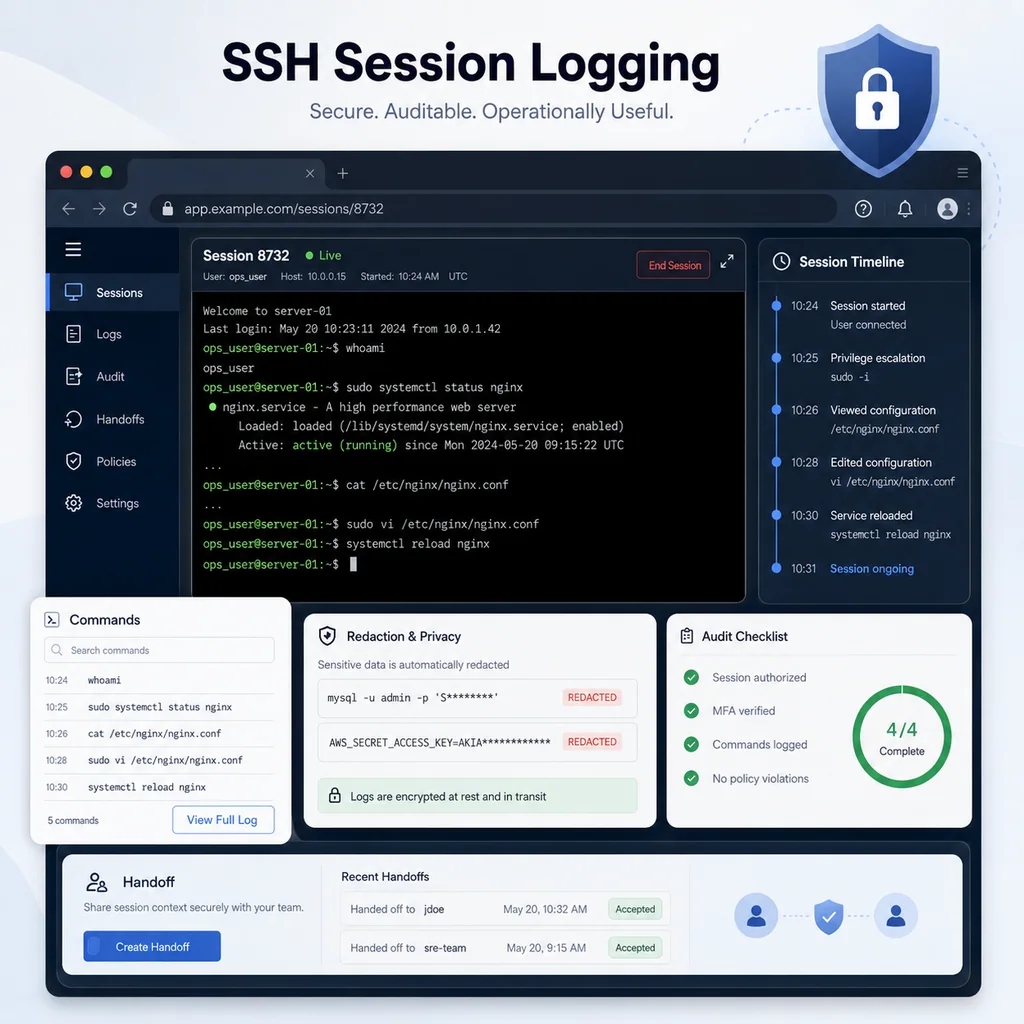
SSH Session Logging: What to Save, What to Avoid, and Why It Matters
Short answer
SSH session logging should retain the information needed to explain what happened, what changed, who was involved, and how to continue safely—without becoming an unfiltered archive of sensitive data. Save useful context, protect secrets and personal data, and record a concise outcome for the next operator.
Why SSH session logging matters
SSH work often becomes important later.
Someone asks:
- Who restarted the service?
- What changed before the outage?
- Was the config test run before reload?
- Which host did the contractor access?
- Did anyone save the configuration?
- What did the server show before the reboot?
- Why did the engineer decide not to roll back?
- What should the next engineer check?
Without a log or structured note, the answer may be hidden in terminal scrollback, chat messages, memory, or nowhere at all.
SSH session logging gives the team a record of operational work. It can help with:
- Troubleshooting
- Incident review
- Maintenance windows
- Contractor oversight
- Change history
- Handoffs
- Compliance support
- Training and review
- Root cause analysis
But session logging must be handled carefully. A log that captures secrets or sensitive data can create more risk than it removes.
Session logs are not the same as good notes
A raw SSH log records what appeared in the terminal. That can be useful, but it is not always enough.
A raw log may show:
sudo systemctl reload nginx
But it may not explain:
- Why the reload was needed
- Whether config validation passed first
- Who approved the reload
- Whether the reload succeeded
- How the service was verified afterward
- Whether rollback was prepared
That is why useful logging often combines two things:
Raw or partial session capture:
What the terminal showed.

Structured notes:
What the operator understood, changed, verified, and decided.
For many teams, the best record is not a giant transcript. It is a concise note with the important commands and findings.
For note structure, see Terminal Notes That Actually Help During Troubleshooting.
Start with the session context
Every useful SSH log should start with context.
Capture:
Session purpose:
Target host:
Environment:
Access path:
User:
Privilege level:
Start time:
Internal owner:
Approved window:
Example:
SSH SESSION NOTE

Purpose: reload nginx after certificate path update
Target host: app-03
Environment: production
Access path: laptop -> VPN -> jump-01 -> app-03
User: deploy
Privilege level: sudo available
Start time: 2026-05-21 22:10 local
Internal owner: Priya
Approved window: 22:00-22:30 local
This context makes the log useful later.
Without it, a command transcript can be ambiguous. The same command can be safe on staging and risky on production.
Confirm the target inside the log
Before making changes, record proof that the session is on the correct system.
For Linux or Unix-like systems:
hostname
hostname -f
whoami
pwd
date
ip addr show
For a network appliance or device with a CLI:
show running-config | include hostname
show version
show clock
show users
show ip interface brief
A good note:
Target confirmed:
hostname -f returned app-03.prod.local.
User is deploy.
Current directory is /etc/nginx.
Ticket target matches live host.
This helps prevent wrong-device confusion during review.
For a deeper target-verification workflow, see How to Avoid Working on the Wrong Server or Network Device.
Log the reason for the session
Do not log only commands. Log why the session exists.
Weak:
Connected to app-03.
Better:
Connected to app-03 to investigate HTTP 502 errors after certificate renewal.
No changes approved yet.
Better still:
Connected to app-03 during approved maintenance window to validate nginx config and reload only if config test passes.
The reason helps later when someone reviews the session and asks whether the commands made sense.
Save commands that changed state
Some commands are more important than others.
Commands that change state should be recorded clearly.
Examples:
sudo systemctl restart nginx
sudo systemctl reload nginx
sudo cp app.conf app.conf.bak-2026-05-21
sudo vim /etc/nginx/sites-enabled/app.conf
sudo ip route add 10.20.40.0/24 via 10.20.1.1
sudo firewall-cmd --reload
For network devices:
configure terminal
interface Gi1/0/24
switchport trunk allowed vlan add 40
end
write memory
reload
A useful log note:
Change command:
sudo systemctl reload nginx

Reason:
Apply certificate path correction after config test passed.

Verification:
nginx active, local curl OK, external HTTPS check OK.
Do not make reviewers infer what changed from raw output alone.
Save important read-only findings
Read-only commands can matter too, especially when they establish a baseline or prove that something was not the cause.
Examples:
systemctl status nginx --no-pager
journalctl -u nginx --since "30 minutes ago" --no-pager
df -h
ip route
ss -tulpn
Useful finding note:
Finding:
Disk space is not the cause. df -h shows / at 42% used.

Finding:
nginx was already active before reload.
No restart loop seen in journal from the last 30 minutes.
This saves future engineers from repeating the same checks.
Record verification after changes
A session log should not stop at the change command.
After a restart, reload, route change, firewall change, or config edit, record how you verified success.
Examples:
systemctl status nginx --no-pager
curl -I http://127.0.0.1
journalctl -u nginx --since "5 minutes ago" --no-pager
For SSH or management access:
ssh user@target-host
nc -vz target-host 22
ping -c 3 target-host
For network devices:
show interfaces trunk
show ip interface brief
show logging | last 50
A useful verification note:
Verification:
nginx reload completed.
Service is active.
Local curl returned expected response.
External HTTPS check passed.
No new nginx errors after reload.
A change without verification is an unfinished story.
Record what did not change
It is useful to say when no changes were made.
Example:
Changes made: none.
Session was diagnostic only.
Or:
No config edits made.
No services restarted.
No firewall or route changes made.
This is especially useful for contractor sessions, incident investigations, and read-only access reviews.
For temporary access workflows, see SSH Access Checklist for Contractors and Temporary Operators.
Avoid logging secrets
This is the most important caution.
Do not store secrets in SSH logs, ticket comments, shared notes, screenshots, or copied terminal transcripts.
Avoid capturing:
- Passwords
- Private keys
- API tokens
- Bearer tokens
- Session cookies
- Database URLs with credentials
- Cloud access keys
- Recovery codes
- One-time passwords
- Secret environment variables
- Customer personal data
- Unredacted config files containing secrets
Risky examples:
export API_TOKEN=...
mysql://user:password@host/database
Authorization: Bearer ...
-----BEGIN PRIVATE KEY-----
Safer note:
Credential used:
Approved read-only database credential from team vault.
Secret not pasted into session notes.
If a secret appears in a log by mistake, treat the log as sensitive and follow your team’s secret-rotation process.
Be careful with environment dumps
Some troubleshooting commands can reveal secrets unintentionally.
Examples:
env
printenv
set
docker inspect
cat .env
cat config.yml
cat application.properties
These commands may be useful, but they can expose credentials.
Before running or saving output from them, ask:
- Does this output contain secrets?
- Is this log going into a shared ticket?
- Who can access the saved transcript?
- Can I capture only the non-sensitive lines?
- Can I summarize the finding instead?
Better:
Finding:
Application config points to the expected database host.
Credentials were not copied into notes.
Instead of pasting the whole config file.
Avoid logging too much raw output
Large logs can be hard to use.
A 2,000-line terminal dump may contain the answer, but it may also contain noise, secrets, and unrelated data.
Instead, summarize what matters:
Log finding:
journalctl -u nginx shows certificate path errors from 14:02 to 14:07.
No new certificate errors after reload at 14:12.
Keep the full log only where appropriate, with proper access controls.
Good session records are readable. They tell the story of the work.
Use timestamps
Timestamps make SSH logs much more useful.
They help correlate:
- Commands
- Alerts
- User reports
- Service restarts
- Reboots
- Monitoring recovery
- Network changes
- Handoffs
Example:
22:10 - connected to app-03
22:12 - confirmed hostname and user
22:14 - nginx -t passed
22:15 - reloaded nginx
22:16 - local curl OK
22:18 - external HTTPS check OK
22:20 - session closed
If host time is wrong, record that:
Host clock appears 8 minutes behind local time.
Using local maintenance-window timestamps in notes.
Keep handoff-ready summaries
If another engineer may continue the work, the log should support a handoff.
A handoff-ready summary includes:
Current state:
Commands already run:
Changes made:
Unsaved changes:
Still running:
Do not do:
Next step:
Rollback:
Example:
HANDOFF SUMMARY

Current state:
nginx config test passes.
nginx has not been reloaded yet.

Commands already run:
- sudo nginx -t
- journalctl -u nginx --since "30 minutes ago"

Changes made:
Updated certificate path in app.conf.

Unsaved changes:
File changed. Backup exists.

Still running:
No background jobs.

Do not do:
Do not reload until app owner confirms traffic drain.

Next step:
Confirm traffic drain, then reload nginx.

Rollback:
Restore app.conf backup and run nginx -t.
For a deeper guide, see Command Handoffs: How to Pass Terminal Work to Another Engineer Safely.
Decide where logs should live
An SSH session log is only useful if the right people can find it and the wrong people cannot.
Think about storage:
- Is this a local text file?
- Is it attached to a ticket?
- Is it stored in a shared workspace?
- Is it part of an incident record?
- Is it retained for a defined period?
- Who can read it?
- Who can edit it?
- Does it contain sensitive data?
- Should it be redacted?
A useful note:
Session record:
Summary saved in maintenance ticket.
No secrets included.
Raw transcript stored in restricted internal location.
Retention follows team policy.
Avoid saving sensitive transcripts in random personal folders where nobody can find or manage them later.
Keep logs connected to the change
A session log should connect to the work item.
Useful identifiers:
- Ticket ID
- Change request
- Incident number
- Maintenance window name
- Device hostname
- Internal owner
- Date
- Session purpose
Example filename concept:
2026-05-21_app-03_nginx-reload_maintenance-note.txt
Example summary header:
Session: app-03 nginx reload
Ticket: maintenance window for certificate renewal
Owner: Priya
Date: 2026-05-21
Use whatever naming pattern fits your team. The key is that someone can find the record later.
Know when not to log everything
There are times when full session capture is not appropriate.
Examples:
- Secret rotation
- Credential entry
- Sensitive customer data investigation
- Private key handling
- Personal data review
- Vendor sessions involving confidential output
- Commands that print secrets by design
In those cases, use controlled summaries instead.
Example:
Sensitive operation:
Rotated application credential using approved secret process.
No secret value stored in session notes.
Verification completed by service health check.
This preserves accountability without exposing the sensitive value.
Use a simple SSH session log template
Here is a practical template:
SSH SESSION LOG

Session title:
Date:
Owner:
Target host:
Environment:
Access path:
User:
Purpose:
Approval / ticket:

Pre-checks:
Commands run:
Findings:
Changes made:
Verification:
Secrets exposed: yes/no
Redaction needed: yes/no
Rollback:
Follow-up:
Session end:
Filled example:
SSH SESSION LOG

Session title: app-03 nginx reload
Date: 2026-05-21
Owner: Priya
Target host: app-03
Environment: production
Access path: VPN -> jump-01 -> app-03
User: deploy
Purpose: apply certificate path update
Approval / ticket: approved maintenance window

Pre-checks:
- hostname confirmed
- nginx -t passed
- current SSH session stable

Commands run:
- sudo nginx -t
- sudo systemctl reload nginx
- systemctl status nginx --no-pager
- curl -I http://127.0.0.1

Findings:
nginx config valid before reload.

Changes made:
nginx reloaded.

Verification:
local curl OK, external HTTPS check OK.

Secrets exposed:
no

Redaction needed:
no

Rollback:
not needed

Follow-up:
monitor nginx error log for 30 minutes

Session end:
22:20 local
SSH logging checklist
Use this checklist for practical SSH session logging.
[ ] Target host is recorded.
[ ] Environment is recorded.
[ ] Access path is recorded.
[ ] Current user is recorded.
[ ] Session purpose is written.
[ ] Approval or ticket is referenced if applicable.
[ ] Commands that changed state are recorded.
[ ] Important read-only findings are summarized.
[ ] Verification after changes is recorded.
[ ] “No changes made” is stated when true.
[ ] Timestamps are included for important events.
[ ] Secrets are not pasted into notes.
[ ] Sensitive output is redacted or summarized.
[ ] Raw logs are stored only where appropriate.
[ ] Handoff state is clear if work continues.
[ ] Follow-up items are listed.
Common SSH logging mistakes
Logging commands without context
A command list is not enough. Add target, purpose, findings, and verification.
Capturing secrets
A log that contains credentials becomes sensitive data. Avoid it, redact it, or restrict it.
Keeping only raw transcripts
Raw transcripts can be useful, but they are harder to review than structured summaries.
Not recording verification
The most important part of many sessions is not the command. It is how you proved the command worked.
Logging everything into public or broad-access tickets
Some output belongs in restricted storage, not in a widely visible ticket.
Forgetting “no change” sessions
Read-only sessions still matter during incidents and contractor work. Record that no changes were made.
Where CliDeck fits
CliDeck is a browser-based workspace for SSH, serial console, runbooks, shared terminal workflows, controller management, and remote operations.
For SSH session logging, the practical need is context. Operators need a clear record of the target, access path, purpose, commands, findings, changes, verification, risks, and handoff state.
CliDeck does not replace your security policy, identity management, or retention rules. But a clear browser-based workspace can help keep SSH sessions, notes, runbook steps, and handoff context closer together.
For related workflows, see Least-Privilege Terminal Access: Simple Rules for Small Teams and Safe Copy-Paste Habits for SSH and Serial Console Work.
Final thought
SSH session logs should make future work easier, not create a pile of sensitive transcripts nobody wants to touch.
Save the context that helps: target, purpose, commands, findings, changes, verification, and follow-up. Avoid saving secrets, personal data, and unnecessary noise. A useful log tells the story of the session without becoming a new liability.
Who this is for
This guide is for operations teams, incident responders, network engineers, and system administrators who need to prepare, run, verify, and document operational terminal work on SSH, serial, browser terminal, and infrastructure operations workflows.
When to use this
Use this guide when:
- Several commands or checks must be repeated safely.
- Another engineer, customer, onsite technician, or vendor may need context.
- The work should produce notes, logs, verification, or a clear handoff.
When not to use this
Do not use this guide when:
- You do not own or have authorization to work on the device.
- The device is outside your approved change, recovery, or processing scope.
- The task may expose customer data, secrets, licenses, or credentials that you are not allowed to view or store.
- The work requires vendor-specific approval, legal approval, or a customer-specific procedure that is not covered here.
Practical runbook format
A runbook does not need to be a complex script. For many operations, it can be a plain command list with notes, expected output, stop conditions, verification steps, and rollback instructions.
What to include
- Purpose
- When to use it
- When not to use it
- Target system or device
- Access path
- Read-only checks
- Change steps
- Expected output
- Stop conditions
- Rollback steps
- Verification steps
- Handoff notes
- Final summary format
Workflow
- Define the purpose, target device, access path, and approved scope.
- Run read-only checks first and record the expected healthy state.
- Execute commands from the runbook or handoff plan while watching for stop conditions.
- Verify the final state with independent checks.
- Summarize commands run, outputs reviewed, exceptions, and handoff notes.
Verification checklist
- The target device or system is correct.
- Read-only checks were captured before the work.
- Stop conditions and rollback notes were available before changes.
- Final verification checks match the expected result.
- Notes, logs, and handoff summary are stored where the team can find them.
Common mistakes
- Starting commands before confirming the target device and scope.
- Skipping read-only baseline checks.
- Copying commands without expected output, stop conditions, or rollback notes.
- Closing the work without a final verification summary.
CliDeck workflow fit
CliDeck Workspace is designed for this kind of operational workflow. Teams can keep terminals, notes, runbooks, logs, and shared sessions in one browser workspace instead of spreading work across terminal windows, chat messages, screenshots, and separate documents.
CliDeck runbooks can be plain command lists, one command per line. Operators can send commands with one click or use auto-run behavior that waits for the prompt before sending the next line where configured.
FAQ
Does a runbook need to be code?
No. A useful runbook can be a plain list of commands, checks, notes, expected output, stop conditions, and verification steps.
Why use a browser workspace for terminal work?
A browser workspace can keep terminals, notes, runbooks, logs, and shared sessions together, which helps during incidents, handoffs, maintenance windows, and remote support.
Can shared terminal sessions be safer than screen sharing?
Yes, when implemented with clear view/type permissions. The helper can see the relevant terminal context without taking over the operator’s entire desktop.
Can CliDeck help with this workflow?
Yes. CliDeck Workspace helps organize terminals, runbooks, notes, logs, and shared sessions. Console Server Go is useful when the workflow starts at a rack-side console port.
Related guides
- Least-Privilege Terminal Access: Simple Rules for Small Teams - A practical guide to least-privilege terminal access for small teams: limit SSH and console access, separate roles, use temporary elevation, document changes...
- What to Check Before Restarting a Network Service Over SSH - A practical pre-restart checklist for network services over SSH, including scope, impact, rollback, verification, and safe terminal workflow.
- Junos NTP Checks: Peers, Reach and Synchronization State - Capture Junos NTP peer selection, octal reach and system synchronization status before correlating device timestamps or starting maintenance.
- Catalyst 9300 Boot Checks: Running Image versus Next Reload - Compare Catalyst 9300 running software with current and next-reload boot variables, preserving manual-boot context before maintenance.
- Junos Optical Diagnostics: Power, Thresholds and Missing Data - Read Junos optical power, module thresholds and alarm flags without treating missing telemetry as zero or certifying an entire optical path.