
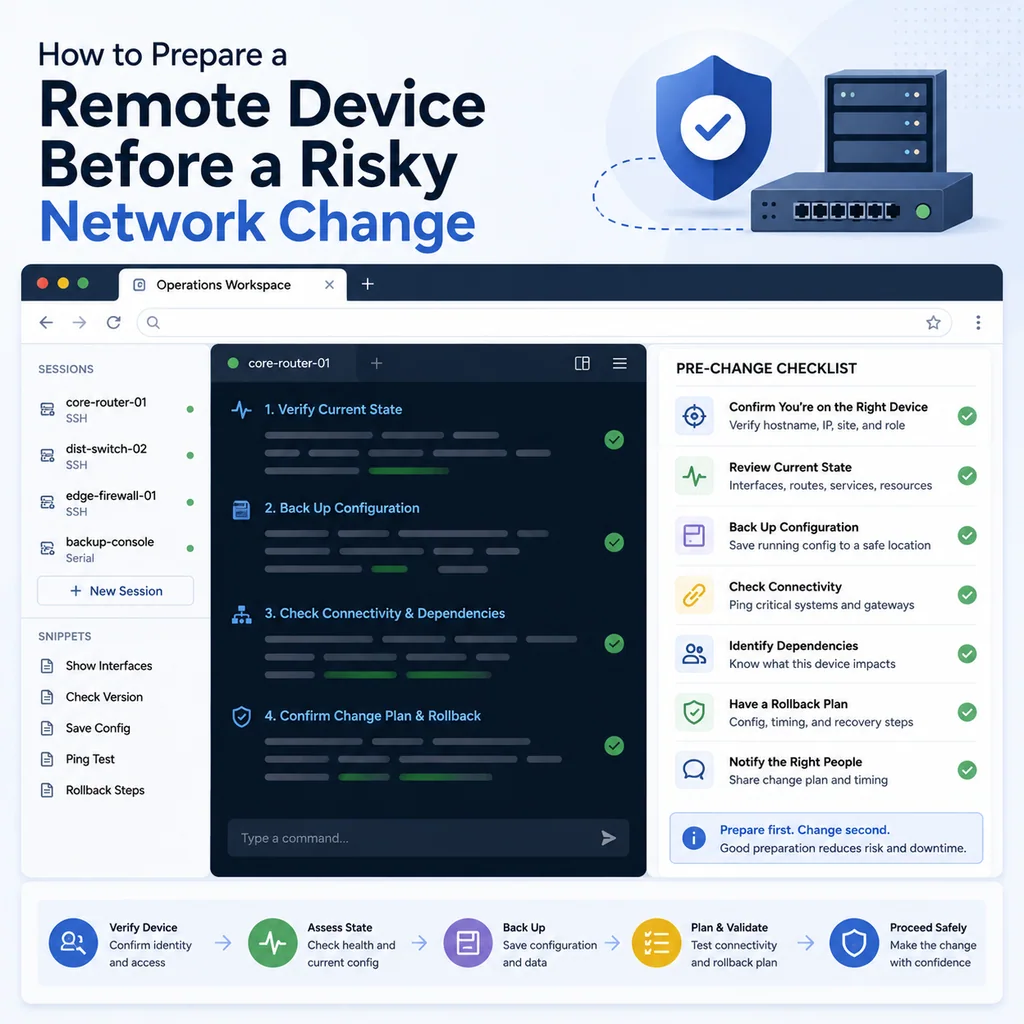
How to Prepare a Remote Device Before a Risky Network Change
Short answer
Before a risky change on a remote device, prepare as though the current connection could disappear: confirm the target, capture the baseline, test fallback access, write rollback, and define how success will be verified. This turns a remote change from a single fragile session into a recoverable plan.
What counts as a risky network change?
A risky network change is any change that could affect your access path, production traffic, routing, firewalling, name resolution, remote management, or device boot behavior.
Examples include:
- Changing an interface IP address
- Changing a default gateway
- Changing static routes
- Restarting networking
- Editing firewall rules
- Changing VPN configuration
- Changing switch trunk allowed VLANs
- Changing native VLANs
- Moving management VLANs
- Changing SSH access rules
- Restarting a routing daemon
- Changing DNS or DHCP services
- Saving a temporary network workaround into startup configuration
- Reloading or rebooting a remote network device
Some of these changes are routine. They are still risky when the device is remote and your recovery path depends on the same network you are modifying.
Confirm the exact target
Before preparing the change, prove that you are on the correct system.
For Linux or Unix-like systems:
hostname
hostname -f
whoami
pwd
date
ip addr show
ip route
For network devices:
show version
show running-config | include hostname
show inventory
show clock
show users
show ip interface brief
For serial console or out-of-band access, also document the path:
Access path: serial console through rack controller port 4
Prompt: core-sw-02#
Rack label: core-sw-02
Write a short target note:
Target device:
Environment:
Device role:
Access method:
Current user / privilege:
Current mode:
Planned change:
Approved by:
Example:
Target device: core-sw-02
Environment: production
Device role: rack aggregation switch
Access method: SSH through jump-01, serial console fallback available
Current mode: privileged EXEC, not config mode
Planned change: add VLAN 40 back to trunk Gi1/0/24
Approved by: incident lead
If the hostname, prompt, inventory record, rack label, or ticket does not match, stop.
For a deeper target-verification workflow, see How to Avoid Working on the Wrong Server or Network Device.
Understand your current access path
Before changing the network, understand how your session reaches the device.
Ask:
- Am I connected directly over SSH?
- Am I connected through a jump host?
- Am I using VPN?
- Am I using a browser terminal workspace?
- Am I connected through a serial console?
- Am I using a management VLAN that I am about to modify?
- Am I using a route, firewall rule, or interface that the change may affect?
Document the path:
Current access path:
laptop -> VPN -> jump-01 -> core-sw-02 SSH
or:
Current access path:
CliDeck browser workspace -> remote console controller -> serial port 4 -> core-sw-02
A change is much riskier if it affects any part of that path.
Example:
Risk:
Planned VLAN change may affect management access from jump-01.
Serial console fallback is confirmed before change.
Confirm fallback access
If the change can break SSH, VPN, management VLAN, routing, firewalling, or DNS, confirm fallback access before you start.
Fallback options may include:
- Serial console
- Out-of-band management
- A second SSH path from a different network
- BMC, iLO, iDRAC, IPMI, or vendor management access
- Remote hands at the rack
- A scheduled rollback
- A second engineer watching from another path
- A local console session through a controller
A fallback note should be specific:
Fallback access:
Serial console confirmed through rack controller port 4.
Second engineer can reach console during the change.
Do not close console session until post-change verification is complete.
Weak fallback note:
We should be able to get back in.
That is not enough. The fallback should be tested or clearly assigned.
For console preparation, see Serial Console Runbook for First-Time Rack Access.
Capture the current state
Before changing anything, capture the current state.
For Linux systems:
hostname -f
date
uptime
ip addr show
ip route
ss -tulpn
systemctl --failed
If firewall or networking services are involved:
sudo iptables-save
sudo nft list ruleset
systemctl status NetworkManager --no-pager
systemctl status systemd-networkd --no-pager
For network devices:
show clock
show users
show version
show running-config
show startup-config
show ip interface brief
show interfaces status
show logging | last 50
For switching-related changes:
show vlan brief
show interfaces trunk
show spanning-tree summary
show interfaces description
For routing-related changes:
show ip route
show arp
show lldp neighbors
show cdp neighbors
Do not rely on memory. The baseline lets you compare before and after, and it gives you something to restore from if needed.
Back up the configuration
A risky network change should have a configuration backup or at least a captured known-good state.
For network devices, capture both running and startup configuration if the platform supports it.
Document:
Backup status:
Running configuration captured.
Startup configuration captured.
Current running config has not been saved after this session.
Backup stored in approved internal location.
For Linux systems, identify the files or services involved.
Examples:
Files to back up:
- /etc/netplan/*.yaml
- /etc/network/interfaces
- /etc/NetworkManager/system-connections/
- /etc/ssh/sshd_config
- firewall rules
- VPN configuration
Example backup note:
Backup:
Copied /etc/netplan/01-prod.yaml to /etc/netplan/01-prod.yaml.bak-2026-05-21.
Captured current ip route output.
No change applied yet.
The backup should match the change. A full system backup is not always required for a small network change, but the rollback path must be real.
Check active sessions and dependencies
Before changing a remote network path, check who and what depends on the device.
For Linux:
who
w
ss -tnp
For services:
systemctl --failed
journalctl -p warning --since "30 minutes ago" --no-pager
For network devices:
show users
show logging | last 50
show interfaces status
show ip interface brief
Look for:
- Other admins connected
- Existing failures
- Active file transfers
- Upgrade or copy jobs
- Current users depending on the service
- High interface errors
- Flapping links
- Routing instability
- Recent configuration changes
If the device is already unstable, your change may need a different plan.
Prepare the rollback before the change
Rollback planning must happen before the command runs.
A good rollback note includes:
- What condition triggers rollback
- Who decides rollback
- Exact rollback command or procedure
- How rollback will be verified
- Whether rollback can be done over SSH or requires console
- Whether rollback should be automatic or manual
- Whether configuration should be saved after rollback
Example:
Rollback plan:
If SSH from jump-01 does not return within 3 minutes, use serial console to remove VLAN 40 from trunk Gi1/0/24.
Rollback owner: Priya
Verification: management ping and SSH from jump-01
Save status: do not write memory until incident lead approves
For Linux networking changes, consider a timed rollback when supported by your environment. The idea is to schedule a safe recovery action before applying a risky change, then cancel it only after verification.
Example concept:
Timed rollback concept:
1. Save current network configuration.
2. Schedule restore of previous configuration in 5 minutes.
3. Apply the new configuration.
4. Verify new SSH session and service reachability.
5. Cancel rollback only after confirmation.
Do not improvise rollback during the outage. Prepare it first.
Decide what not to save
On many network devices, running configuration and startup configuration are separate. A temporary recovery change may work, but that does not automatically mean it should be permanent.
Before the change, decide:
- Is this a temporary workaround?
- Should this be saved if it works?
- Who approves saving?
- What must be verified before saving?
- What should happen if the device reloads before saving?
A useful note:
Save decision:
Running config may change during recovery.
Do not save to startup config until management access, trunk state, and affected services are verified.
Incident lead must approve save.
This prevents a temporary fix from becoming a permanent hidden change.
Build a command plan
Do not build risky commands from memory while connected to a remote device.
Create a command plan:
COMMAND PLAN

Target:
Purpose:
Pre-check commands:
Change command:
Expected result:
Verification commands:
Rollback command:
Save decision:
Approval:
Example:
COMMAND PLAN

Target: core-sw-02
Purpose: restore management VLAN on uplink trunk

Pre-check commands:
show interfaces trunk
show running-config interface Gi1/0/24
show vlan brief

Change command:
switchport trunk allowed vlan add 40

Expected result:
VLAN 40 appears in allowed VLAN list on Gi1/0/24.

Verification commands:
show interfaces trunk
ping management gateway from switch if available
SSH test from jump-01

Rollback command:
remove VLAN 40 from trunk only if unexpected impact appears

Save decision:
do not write memory until approved

Approval:
incident lead approved change at 14:42
Read the plan before running any command. This is where many mistakes are caught.
Make the smallest safe change
During a risky remote change, avoid broad edits.
Better:
Add one missing VLAN to one trunk.
Riskier:
Replace the full trunk allowed VLAN list from memory.
Better:
Add one static route.
Riskier:
Restart the whole network stack remotely.
Better:
Reload one service after config validation.
Riskier:
Reboot the entire device to see if it helps.
Small changes are easier to understand, verify, and roll back.
Announce before applying the change
Before running the change, make the state visible to the team.
A useful announcement:
About to change core-sw-02.
Target confirmed.
Console fallback confirmed.
Command: add VLAN 40 to trunk Gi1/0/24.
Expected impact: restore management VLAN.
Rollback: remove VLAN 40 if unexpected impact appears.
Save: not saving until verification.
This gives others a chance to catch a wrong target, wrong interface, wrong command, or missing approval.
For copy-paste discipline, see Safe Copy-Paste Habits for SSH and Serial Console Work.
Verify from outside the device
After the change, do not rely only on local command output. Verify from the relevant path.
Examples:
- SSH from the jump host
- Ping from the management network
- Monitoring recovery
- Application health check
- DNS query from a client network
- VPN connection from outside
- Interface state from the peer device
- Route visibility from a neighbor
For Linux:
ip addr show
ip route
ss -tulpn
From another host:
ping -c 3 target-host
ssh user@target-host
nc -vz target-host 22
For network devices:
show interfaces trunk
show ip interface brief
show ip route
show logging | last 50
A good verification note:
Verification:
Local device accepted change.
VLAN 40 now appears on trunk Gi1/0/24.
SSH from jump-01 restored.
Monitoring recovered at 14:35.
No save performed yet.
Keep the recovery session open
Do not close the only working console or SSH session immediately after the change.
Keep recovery access open until:
- The change is verified
- A new session can connect
- Monitoring has recovered
- No critical logs are repeating
- Save or rollback decision is complete
- Another engineer has accepted handoff if needed
A safe note:
Do not close console session yet.
SSH has returned, but save decision is pending.
Keep console open until incident lead confirms closure.
Document the result
A risky network change should end with a clear record.
Include:
- Device
- Access path
- Original issue
- Baseline captured
- Command run
- Time applied
- Result
- External verification
- Rollback status
- Save status
- Follow-up
Example:
Change result:
Device: core-sw-02
Access: SSH through jump-01, console fallback available
Issue: management VLAN unreachable
Command: added VLAN 40 to trunk Gi1/0/24
Applied: 14:28 local
Result: management SSH restored
Verification: ping and SSH from jump-01, monitoring recovered
Rollback: not used
Save status: running config changed, startup config not updated
Follow-up: incident lead to approve save
For troubleshooting note structure, see Terminal Notes That Actually Help During Troubleshooting.
Remote network change checklist
Use this checklist before applying a risky remote network change.
[ ] Exact target device confirmed.
[ ] Environment confirmed.
[ ] Device role confirmed.
[ ] Current access path documented.
[ ] Change goal written clearly.
[ ] Expected impact understood.
[ ] Maintenance approval confirmed if required.
[ ] Fallback access confirmed.
[ ] Console or out-of-band path tested where possible.
[ ] Current state captured.
[ ] Configuration backup captured.
[ ] Active sessions checked.
[ ] Current logs reviewed.
[ ] Rollback trigger defined.
[ ] Rollback owner assigned.
[ ] Rollback command or procedure prepared.
[ ] Save decision documented.
[ ] Command plan reviewed.
[ ] Another engineer reviewed target and command for high-risk work.
[ ] Change will be applied as narrowly as possible.
[ ] External verification path is ready.
[ ] Recovery session will remain open after change.
Common mistakes to avoid
Changing the network path you are using
If your SSH path depends on the interface, route, firewall rule, or VLAN being changed, prepare fallback access first.
Replacing a full configuration section unnecessarily
Appending one missing VLAN is usually safer than replacing a whole allowed VLAN list. Changing one route is safer than rewriting the entire routing table.
Saving too early
Do not save temporary recovery changes until they are verified and approved.
Trusting local verification only
A device can accept a command locally while still being unreachable from the management network. Verify from the affected side.
Forgetting who owns rollback
Rollback should have an owner, not just a vague idea.
Closing console too soon
If console access saved the session, keep it open until the team agrees it is no longer needed.
Where CliDeck fits
CliDeck is a browser-based workspace for SSH, serial console, runbooks, shared terminal workflows, controller management, and remote operations.
For risky remote network changes, the practical need is context. The target identity, access path, command plan, notes, fallback path, and verification steps should stay close together.
CliDeck does not replace change approval, platform-specific documentation, or engineering judgment. But a clear browser-based workspace can help operators keep the session organized while they move through the preparation checklist.
For related workflows, see Console Access During a Network Outage: A Practical Recovery Checklist and A Practical Checklist for Remote Firmware and OS Upgrade Sessions.
Final thought
A risky remote network change is safest before it starts.
Once the command runs, your options may shrink quickly. Prepare the target, access path, backup, rollback, verification, and handoff before you touch the network. Then make the smallest safe change and prove it from the outside.
Who this is for
This guide is for network engineers, operations teams, field technicians, and lab engineers who need to use the workflow described in “How to Prepare a Remote Device Before a Risky Network Change” safely and repeatably on SSH, serial, browser terminal, and infrastructure operations workflows.
When to use this
Use this guide when:
- The task is inside an approved change, recovery, lab, or troubleshooting scope.
- You need a practical checklist before touching a production or customer device.
- You need to verify the result and document what changed.
When not to use this
Do not use this guide when:
- You do not own or have authorization to work on the device.
- The device is outside your approved change, recovery, or processing scope.
- The task may expose customer data, secrets, licenses, or credentials that you are not allowed to view or store.
- The work requires vendor-specific approval, legal approval, or a customer-specific procedure that is not covered here.
Workflow
- Confirm device identity, access path, and approved scope.
- Collect read-only baseline information before making changes.
- Run only the commands or checks required for the task.
- Verify the final state with commands, logs, or observable behavior.
- Document the result, exceptions, and next action.
Verification checklist
- The target device or system is correct.
- Read-only checks were captured before the work.
- Stop conditions and rollback notes were available before changes.
- Final verification checks match the expected result.
- Notes, logs, and handoff summary are stored where the team can find them.
Common mistakes
- Starting commands before confirming the target device and scope.
- Skipping read-only baseline checks.
- Copying commands without expected output, stop conditions, or rollback notes.
- Closing the work without a final verification summary.
CliDeck workflow fit
CliDeck Workspace can help keep terminals, notes, runbooks, logs, and shared sessions in one browser workspace. Console Server Go is useful for portable rack-side console access, while Net Controller is better for repeatable multi-device processing and evidence-style results.
FAQ
Can CliDeck help with this workflow?
Yes, depending on the workflow. CliDeck Workspace helps organize terminals, runbooks, notes, logs, and shared sessions. Console Server Go is useful for portable rack-side console access. Net Controller is better for batch device processing, ITAD workflows, provisioning, recovery, barcode tracking, and evidence-style logs.
Should I follow this guide instead of vendor documentation?
No. Use this article as practical guidance alongside vendor documentation, site policy, and your approved change or recovery process.
What should I verify before closing the work?
Verify device identity, scope, final state, logs or notes, and any rollback or exception handling required by your organization.
Related guides
- HDD Overwrite Verification: What a Random Sample Can Prove - Calculate finite-population detection probabilities for HDD overwrite samples, reproduce the math, and understand what a passing sample cannot establish.
- Console Access During a Network Outage: A Practical Recovery Checklist - A practical console recovery checklist for network outages: confirm the device, capture state, use serial access safely, restore management paths, and document changes.